Amazon · Report Builder · Internship
Keep the numbers inside the house.
Selling Partners were leaving Seller Central to assemble reports in Helium 10 and Jungle Scout. I designed a 0→1 Report Builder that lets brand sellers find, configure, and download the metrics they actually act on — without leaving Amazon.
Role
Product design, end-to-end
Scope
Discovery → concept → test → handoff
Teams
SRPS · SG&D
6+
Tools sellers juggled to pull 10+ reports before this work.
11
Participants, 18–65, in a paired A/B of two customization flows.
2
Cross-functional teams approved the work to move into development.
Enter the product.
Three chapters. Same system. Jump to the part that matters.
The System
Reports lived everywhere. Insight lived nowhere.
Gathering reports on Seller Central was a fragmented, non-intuitive experience. Selling Partners relied on 6+ tools to pull 10+ reports — then left Amazon for Helium 10 and Jungle Scout. Conversions thrive on data that makes sense: speed, accuracy, and insight directly influence subscriptions, business ROI, and daily active users.
Scattered
Ten reports, six tools, no single place to start. Sellers hunted before they analyzed.
Edited after the fact
Partners downloaded, then rebuilt the spreadsheet to isolate the metrics they actually use.
Leaving the house
Flexible downloads lived in third-party tools. Amazon was paying for the data and losing the habit.
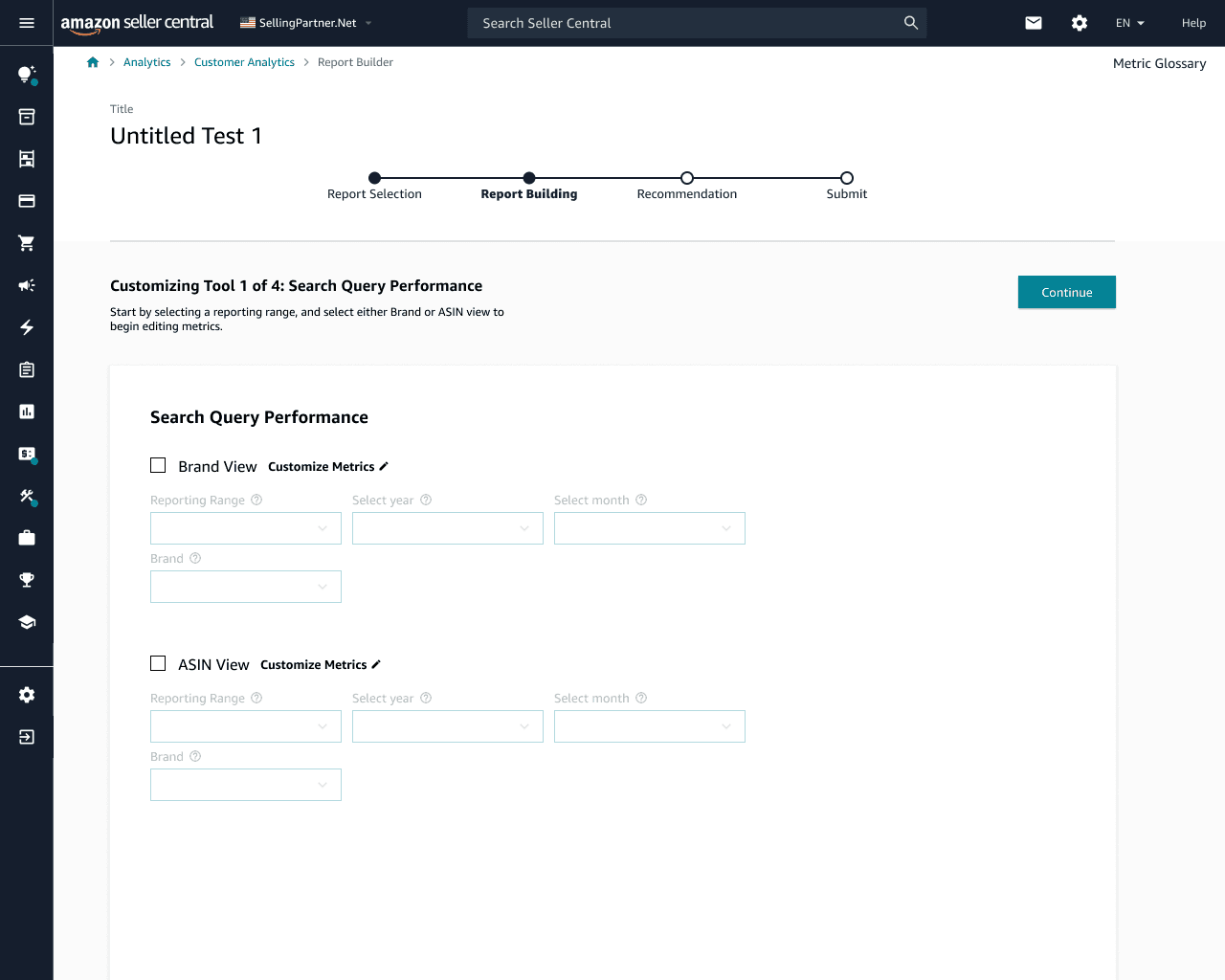
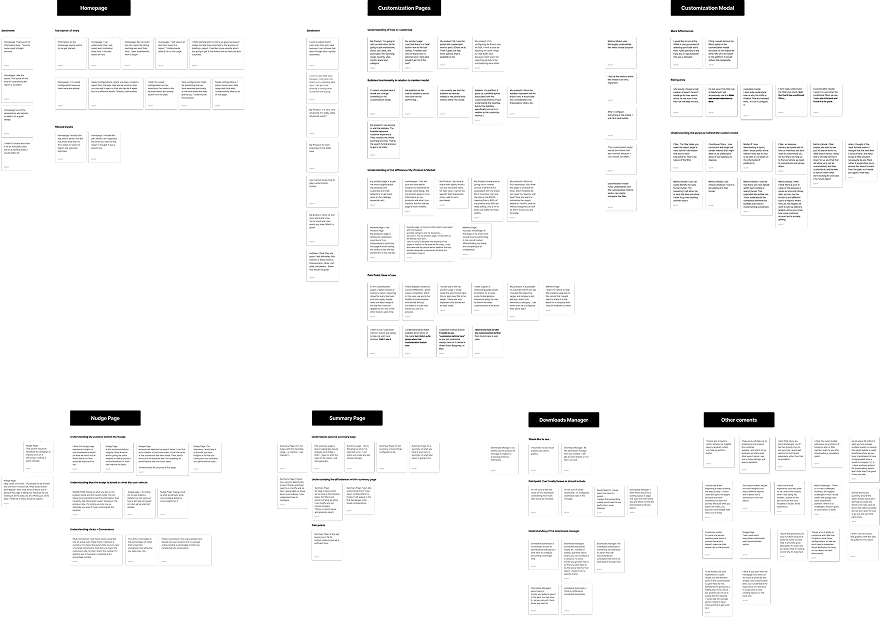
The configuration path sellers already had — brand and ASIN as separate chores, not one report.
Insight
Sellers don’t want more reports. They want the few metrics they already act on.
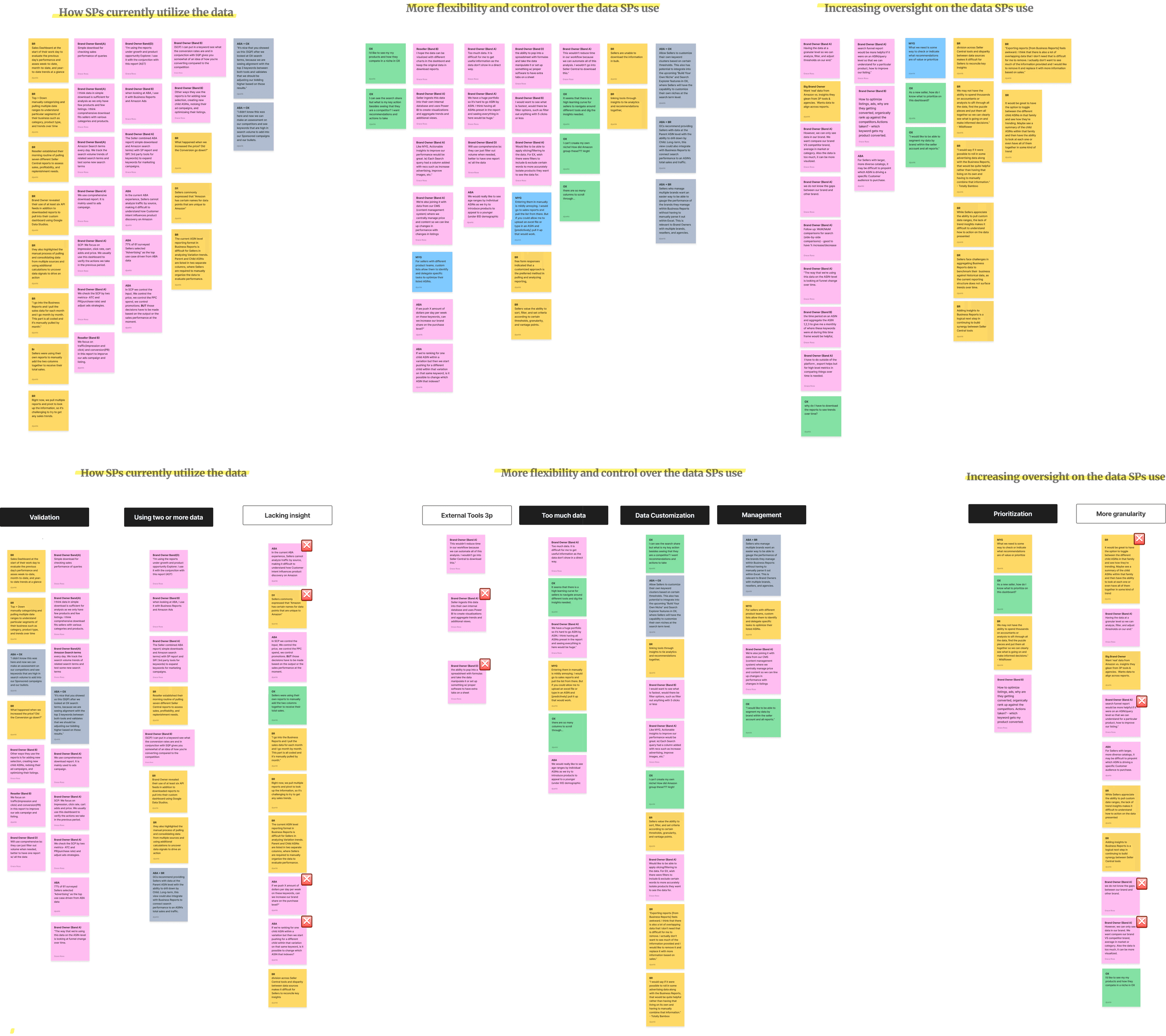
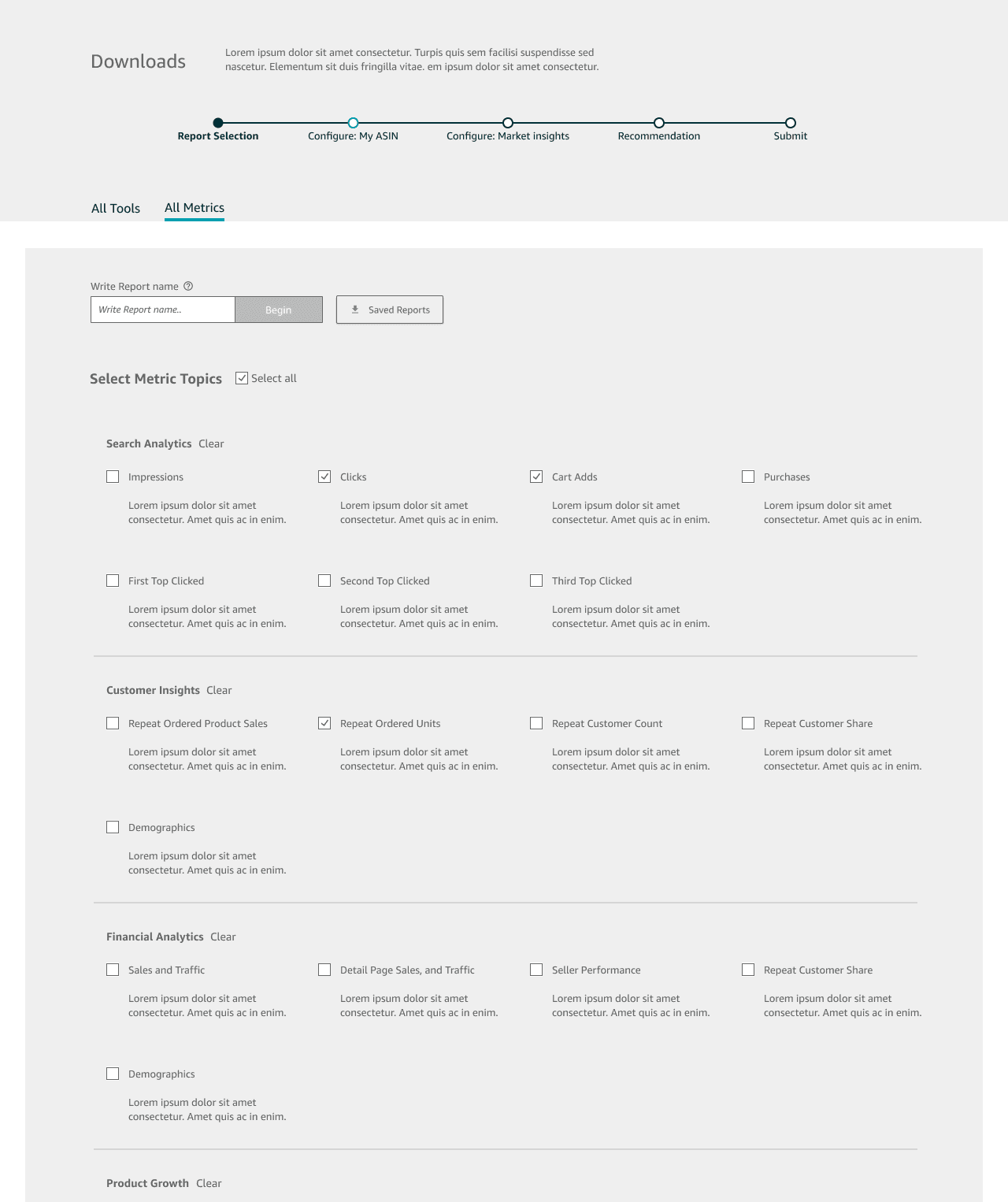
We identified that partners prioritize specific metric types when they take action on Seller Central. That is why so many edit reports after downloading — they are extracting the exact columns they need to optimize conversion. I synthesized past research through affinity mapping to understand the tools, the motivations, and the future goal more granularly.
If I can pull brand and ASIN in the same place, I stop rebuilding the spreadsheet every Monday.
Synthesized from seller research · not a verbatim quote
01 Frame
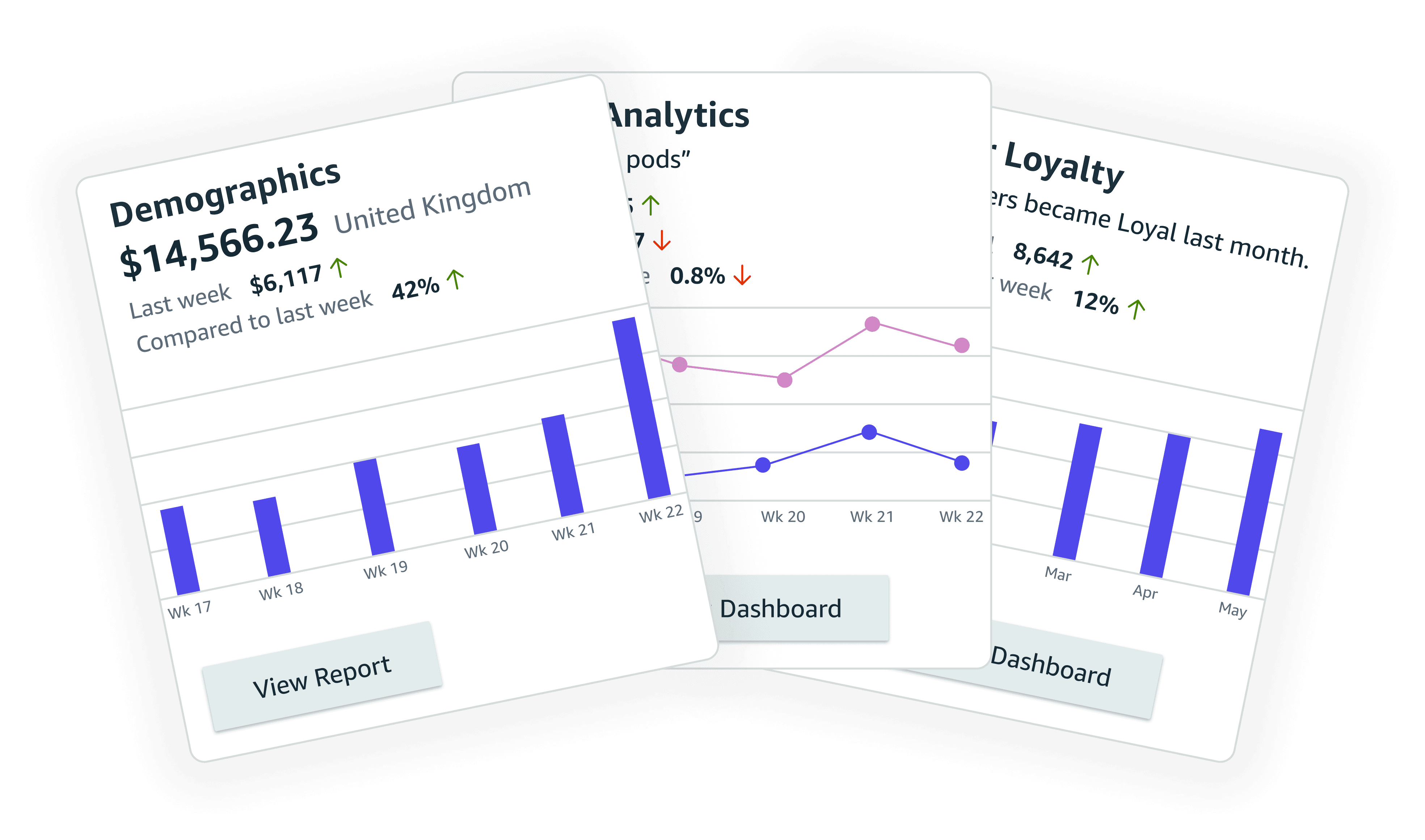
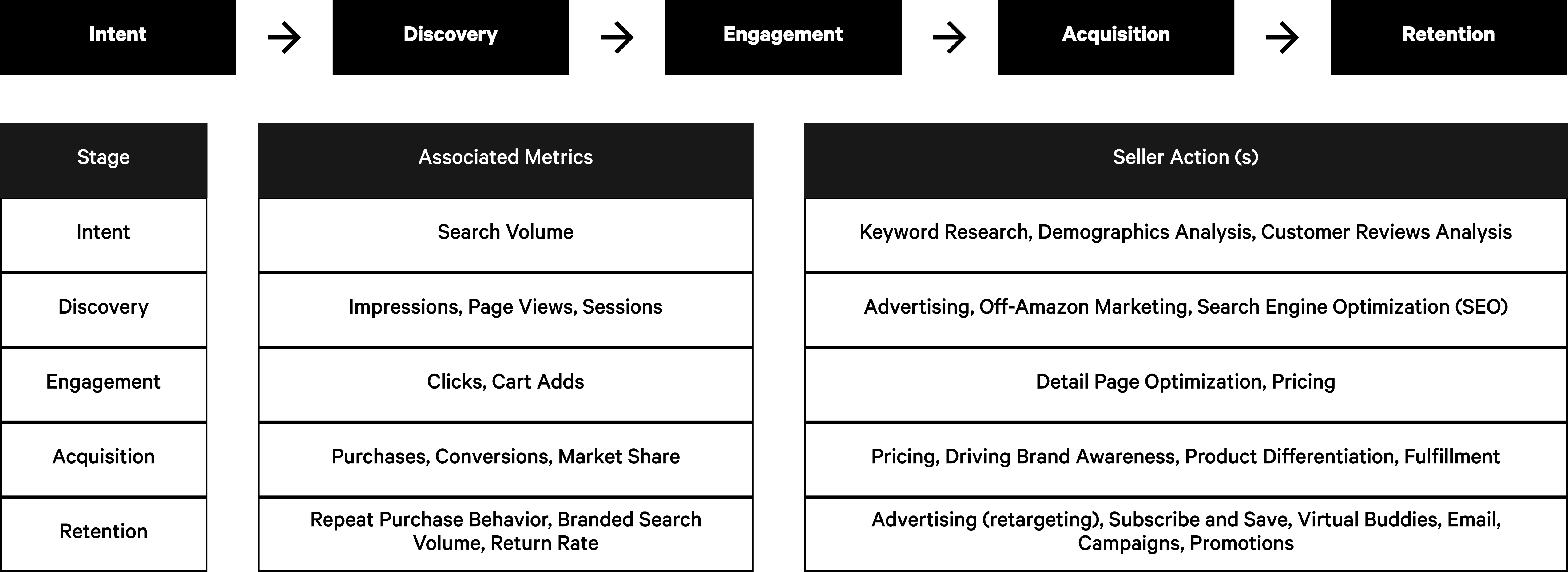
The problem, the hypothesis, and the seller story — mapped before any UI.
02 Competitive
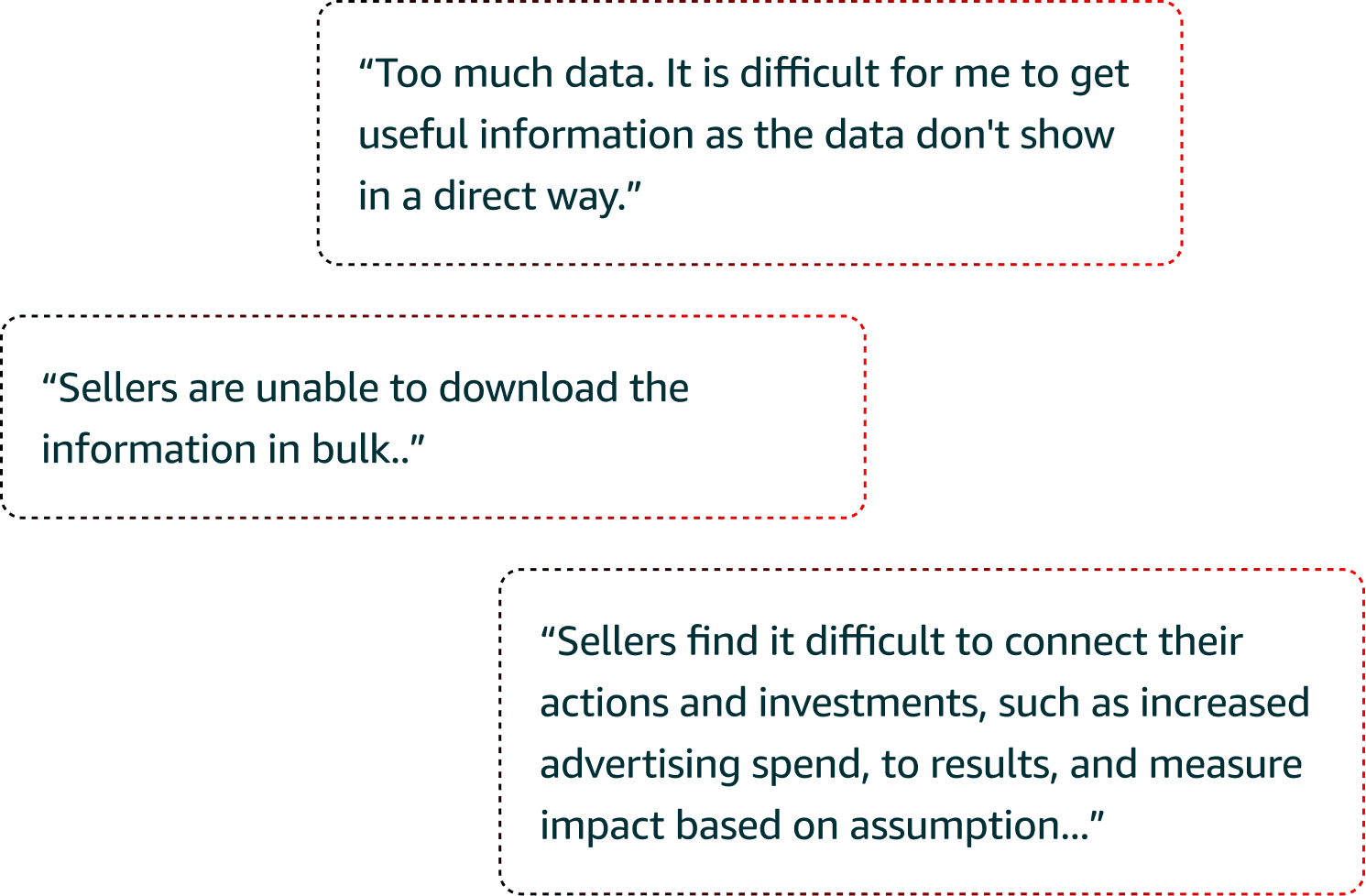
Helium 10 already offered granular, flexible downloads. Friction was the product.
03 Familiarity split
Some sellers did not know where to start. Others already knew exactly what to change.
The Builder
Three steps. One destination.
Research showed varying familiarity with reports. I wrote guiding questions, then sketched flows for customization, simplicity, and suggestions — and brought every report into one experience.
1.0 Core flow
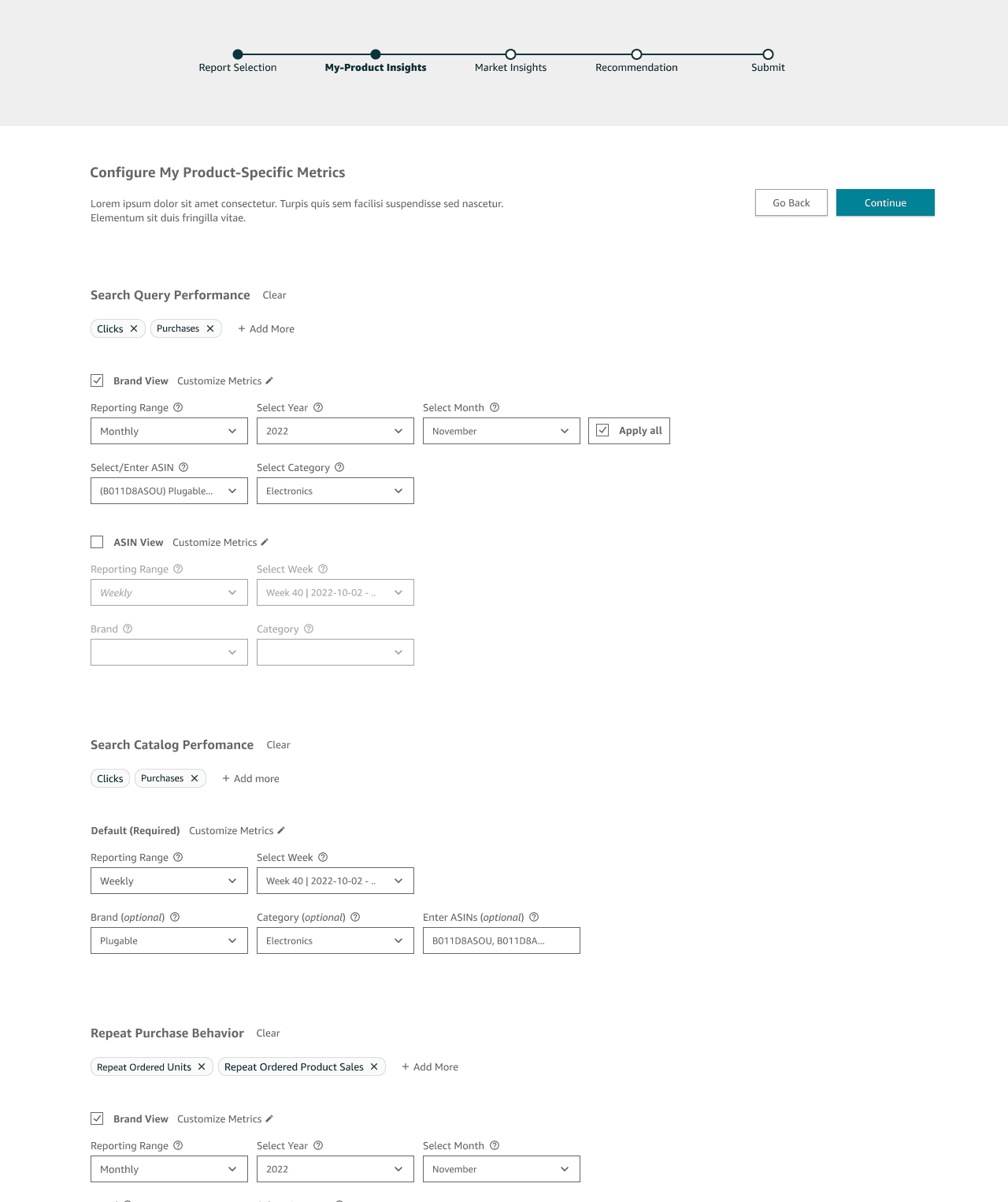
Find the report. Shape it. Take it with you.

Create navigability
Category-first browsing so a seller who is lost still lands on the right report.
Reserve judgment
Configuration happens before download — not after in Excel.
Minimize resistance
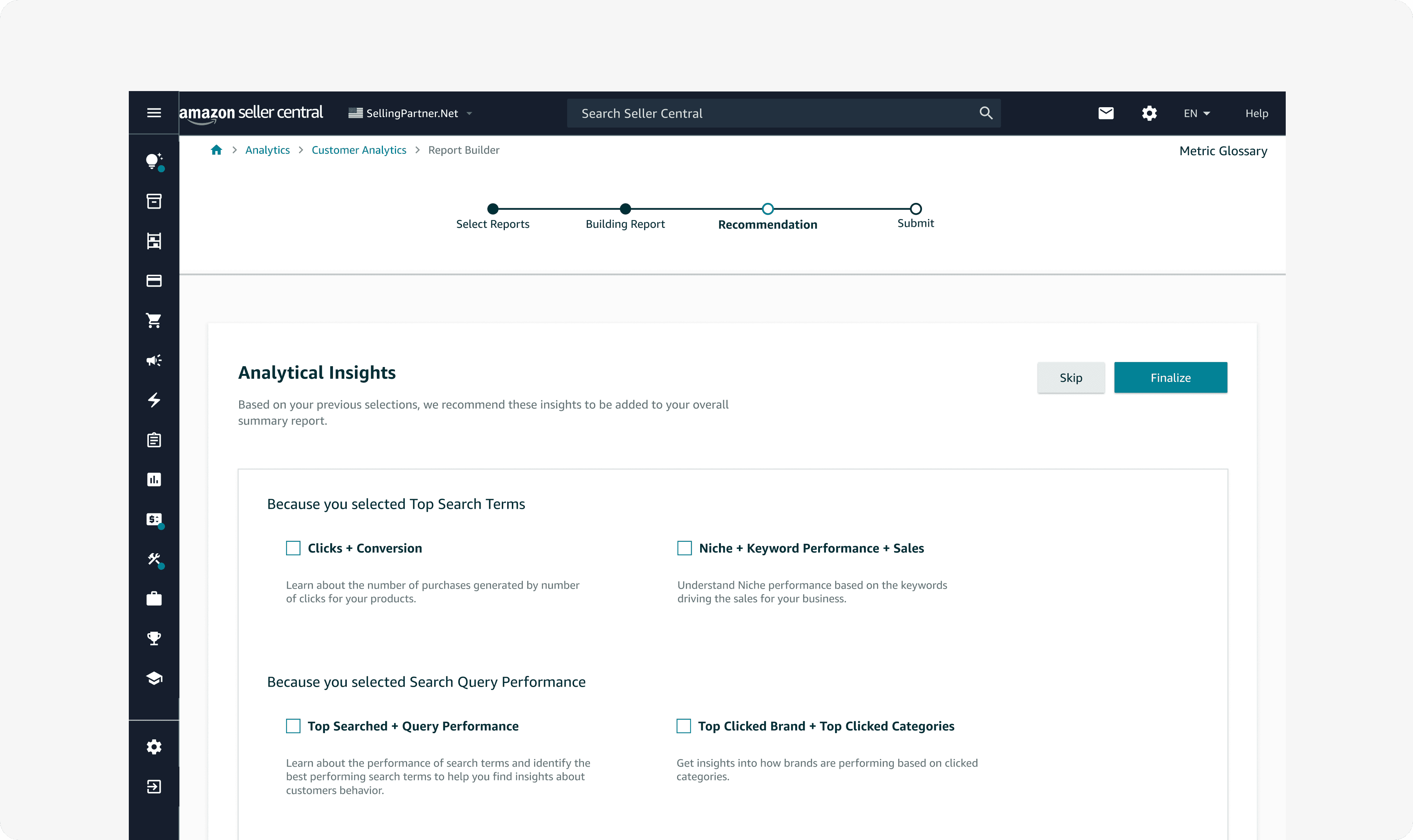
Suggestions sit beside customization so experts and novices share one path.
2.0 Configuration
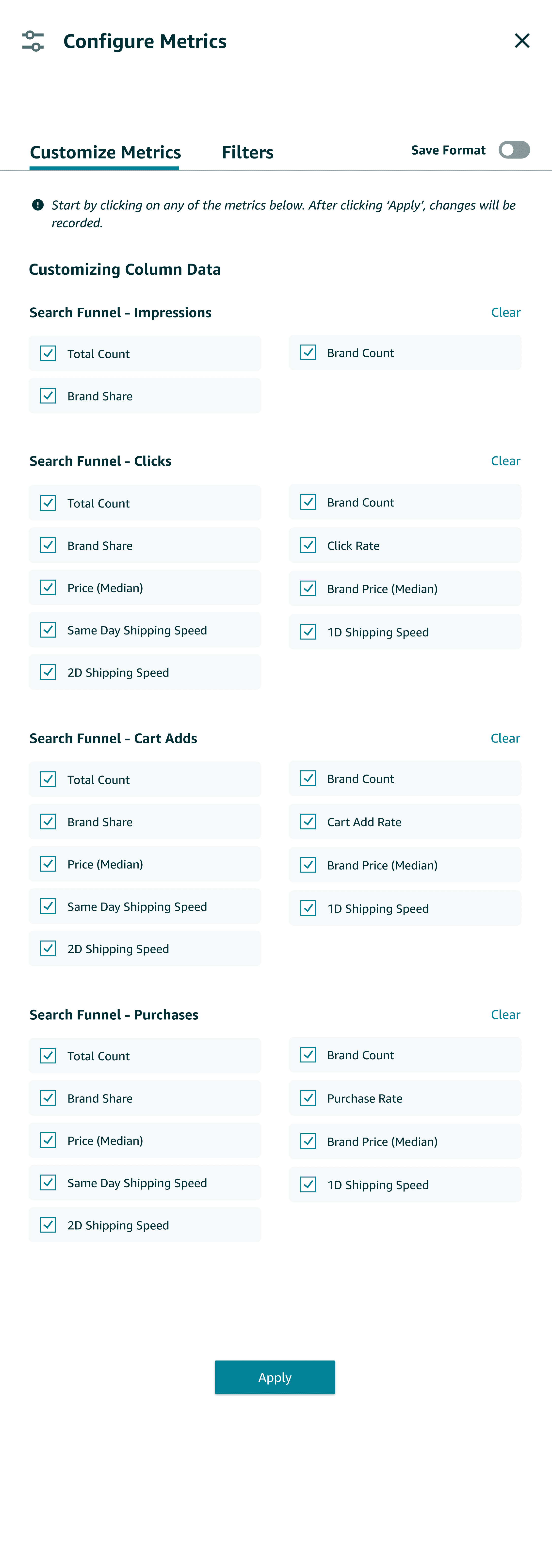
A modal to customize. Pills to add or remove a metric family.
After low-fidelity frames, I designed two configuration points: a modal to customize reports before download, and filter pills to quickly add or remove metric categories.
3.0 Two ways to customize
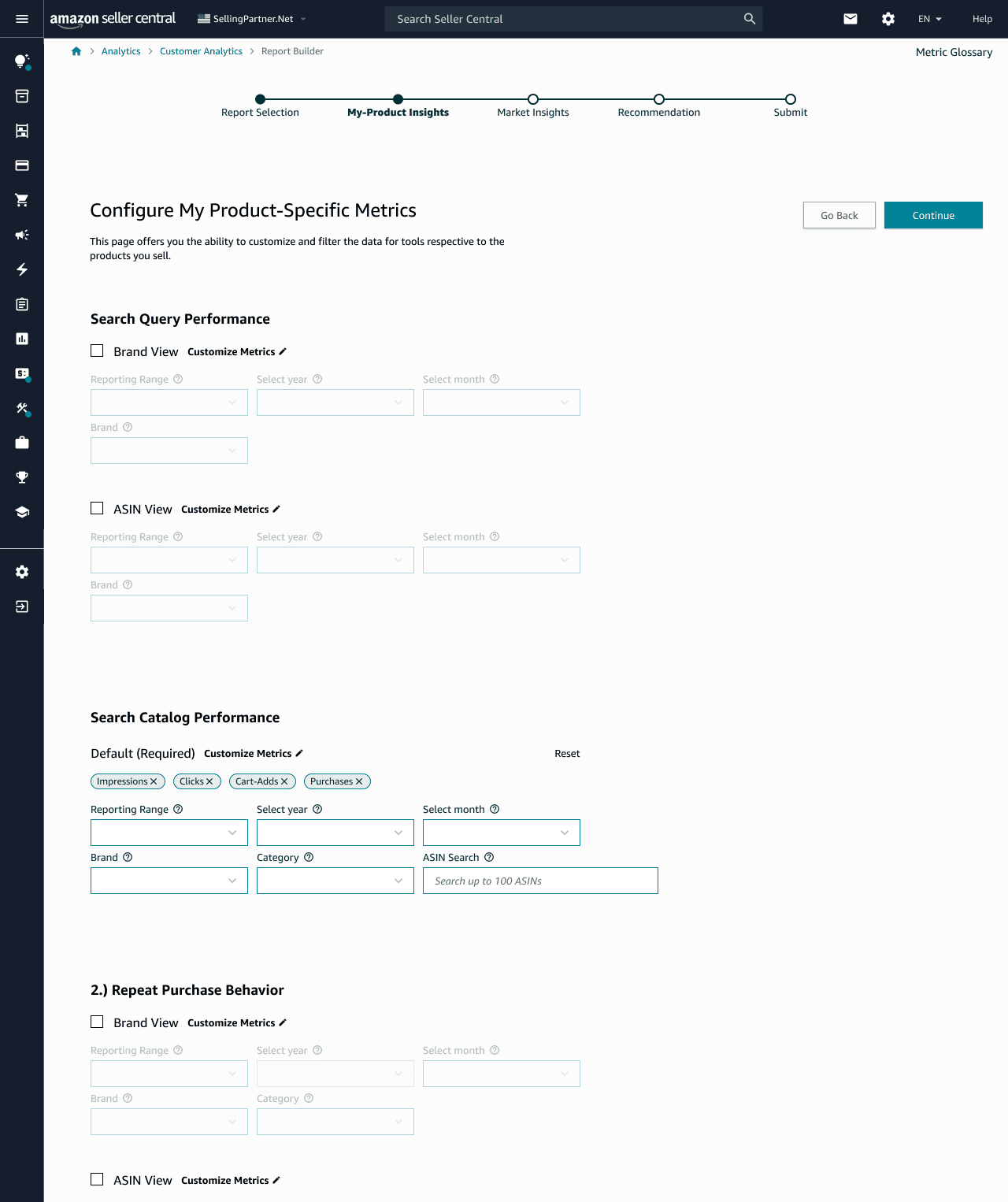
Same job. Opposite information architecture.
Flow A
Reports separated by category — brand and ASIN visible together.
Flow B
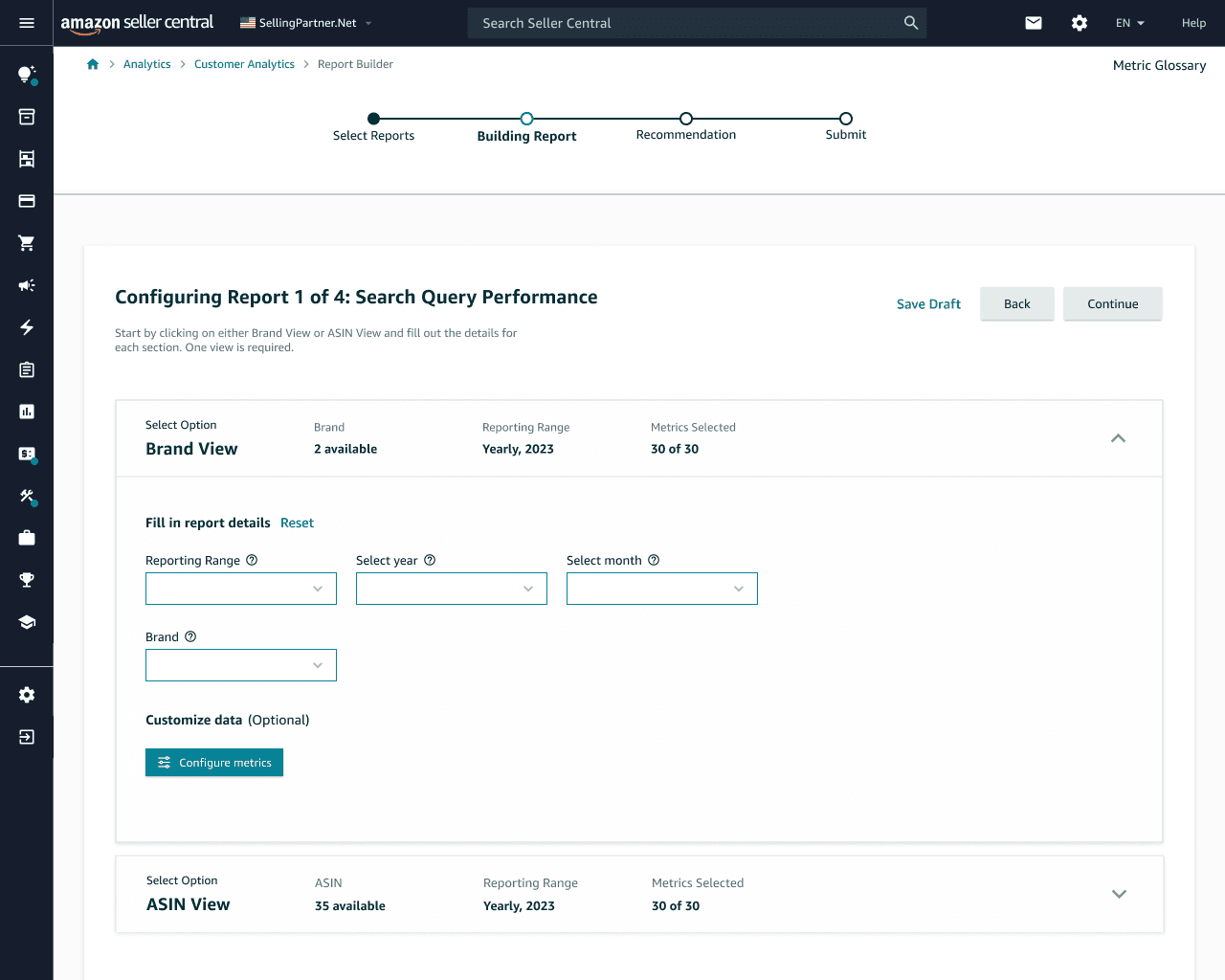
One report at a time — less clutter, more sequential control.
Evidence
We did not pick a winner. We picked the friction.
I partnered with a researcher to prototype and test both flows with 11 participants ages 18–65. The strongest signal came from customization: sellers could assemble a report, but the work still felt slow and overwhelming — especially for people who were not already specialists.
A / B
Two information architectures, same task: build a downloadable report.
Paired prototype
Live click-throughs, not preference surveys. We watched where people stalled.
Affinity on notes
Clustered feedback to find the next cut — not to decorate a deck.
What we learned
Seeing brand and ASIN on one card helped comparison — but forcing both made configuration unclear. The experience captured a more specialized slice of the audience than we intended. I refined how configuration starts and how customization options are reached.
Before → After
After
Approved. Unfinished. Honest.
At the close of the internship I presented to SRPS and SG&D. Both teams approved the work to move into development. The useful lesson was not the slides — it was learning to keep the end goal visible while technical constraints were still unresolved, and to keep the team in the loop so the picture could stay larger than any one screen.
If I continued
The next study would not be another modal.
I would test time-to-first-useful-download with non-specialist sellers, instrument where people abandon configuration, and design a default ‘Monday report’ so experts can still customize without making novices assemble a spreadsheet from scratch.