
Building Report Builder for Amazon Brand Sellers
Duration
3 Months
Role
Product Designer
Team
1 UX Manager
1 Designer
1 UX Researcher
Tools
Figma
UserTesting
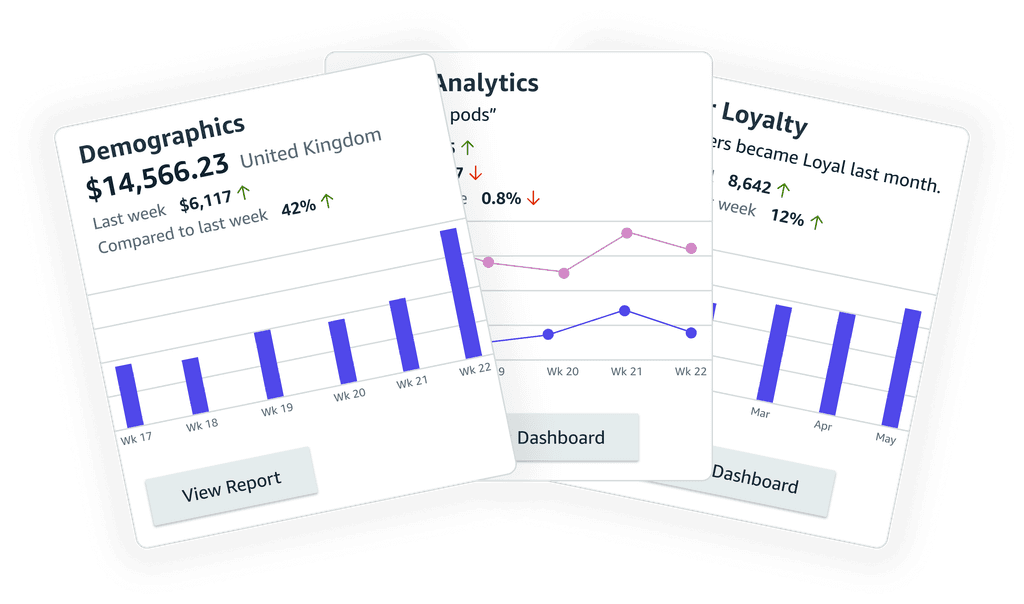
On SellerCentral, conversions best thrive off data that makes sense and ultimately allow Selling Partners to make business decisions.
Speed, accuracy, and insight are top priorities at Amazon, directly influencing user subscriptions, business ROI, and daily active users (DAU).
Understand ———————
Gathering reports on Seller Central is a fragmented & non-intuitive experience
Third-party tools like Helium10 and JungleScout pull users from Amazon. Selling Partners rely on 6+ tools for 10+ reports, leading to inefficiency and data issues.
Research ———————
Seller Behavior
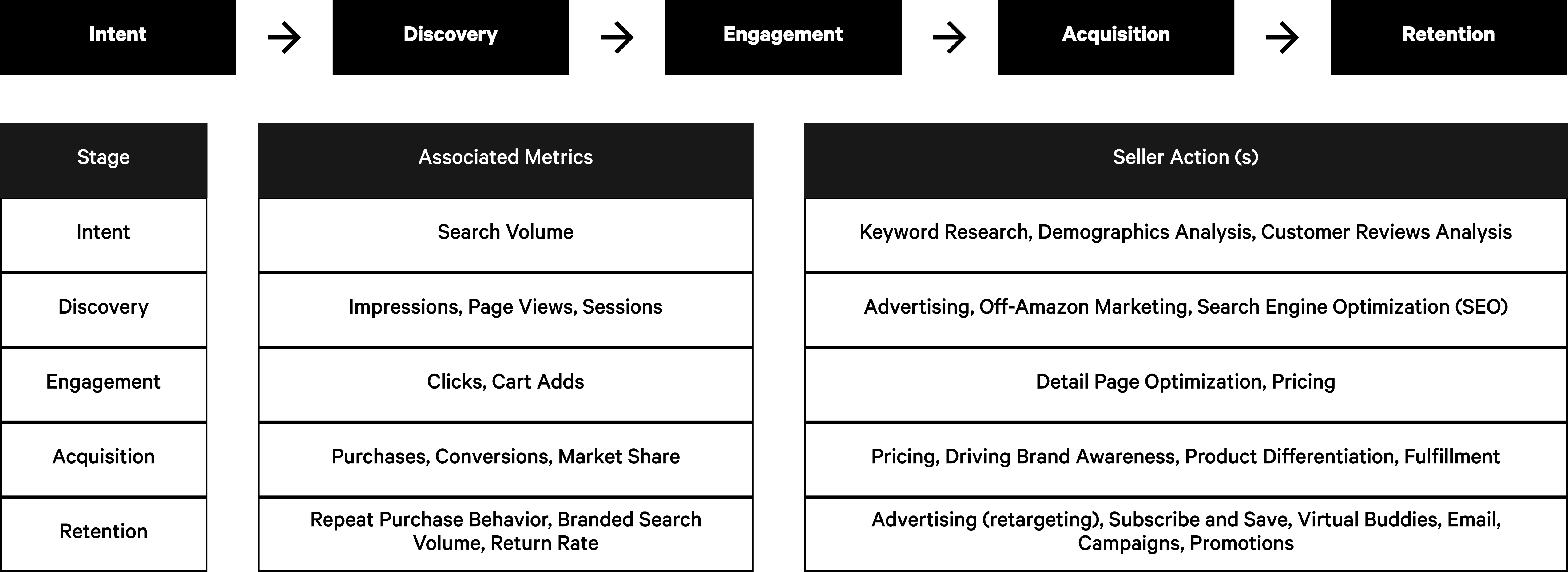
We identified that our partners prioritize certain types of metrics over others when taking action on Seller Central. This also explains why many partners edit their reports after downloading, utilizing specific metrics to achieve the conversion rate optimization (CRO) they need.
User Journey
Affinity Mapping ———————
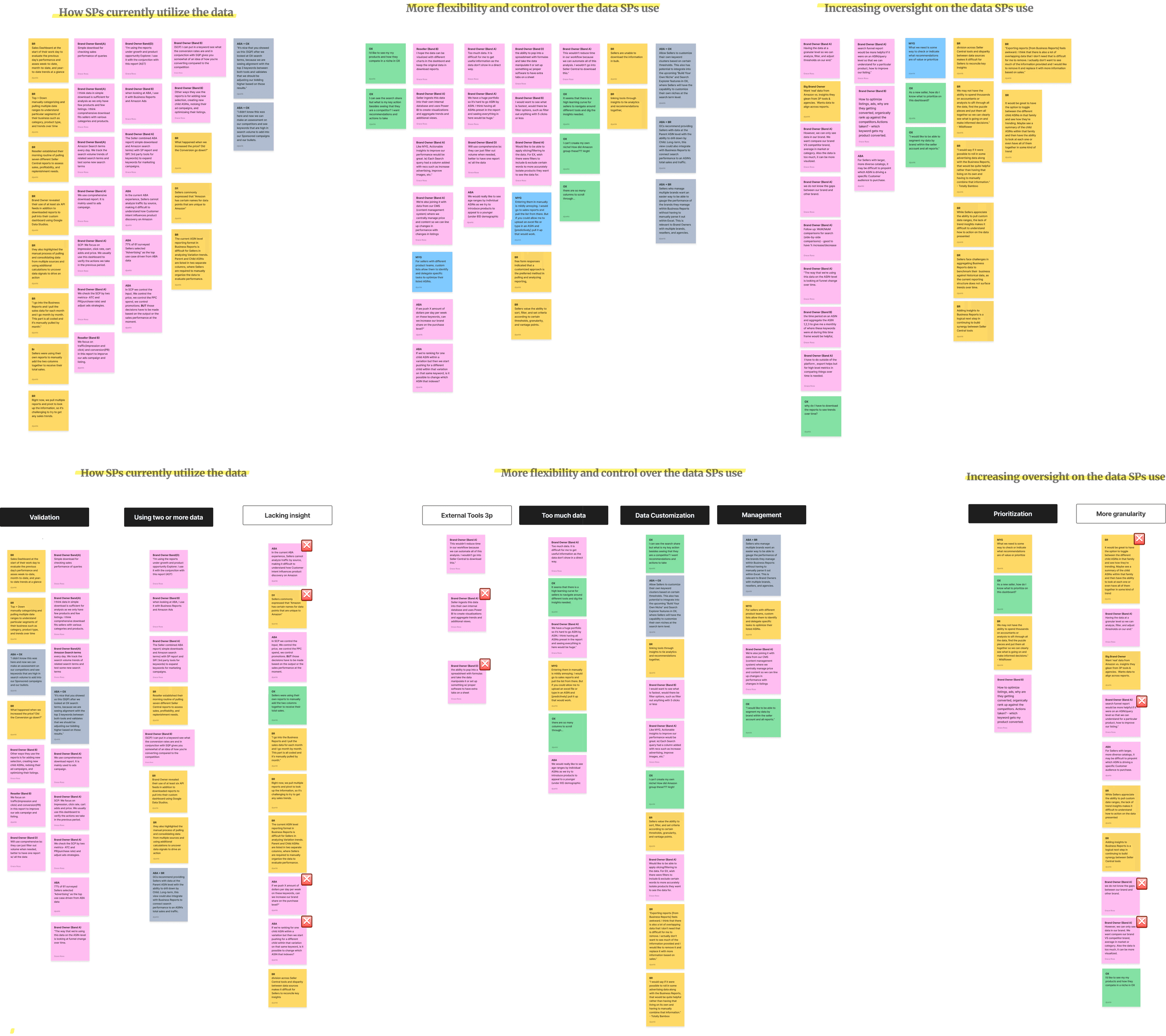
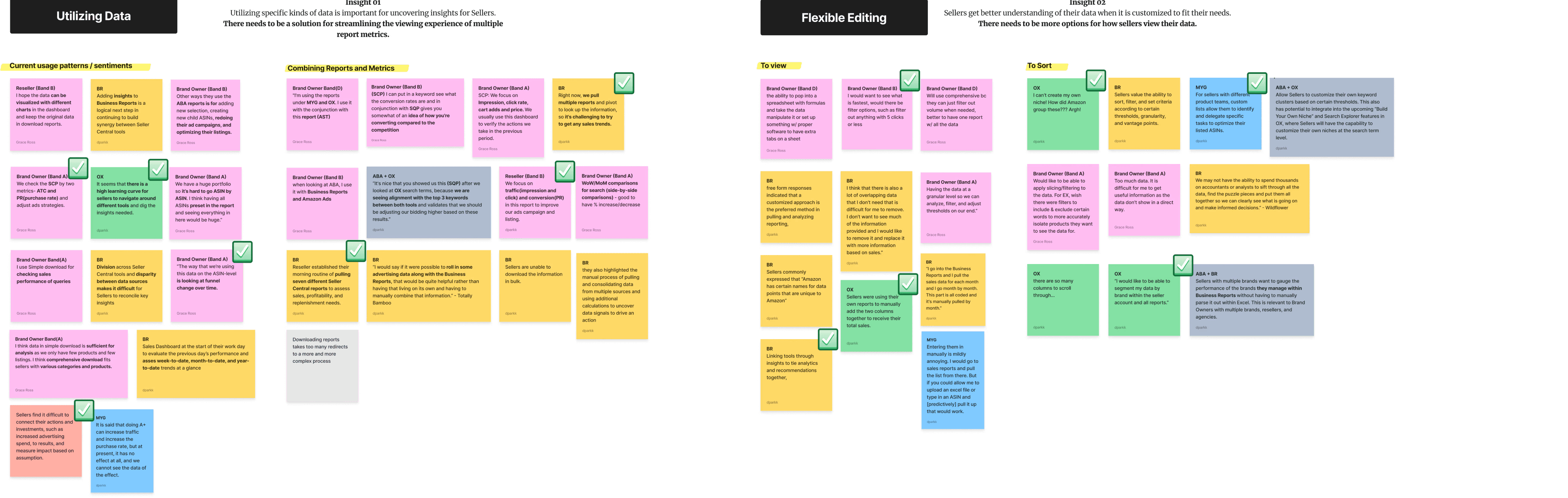
Synthesizing past research to understand our tools, user motivations, and future goals more granularly.
Affinity Mapping
Accuracy
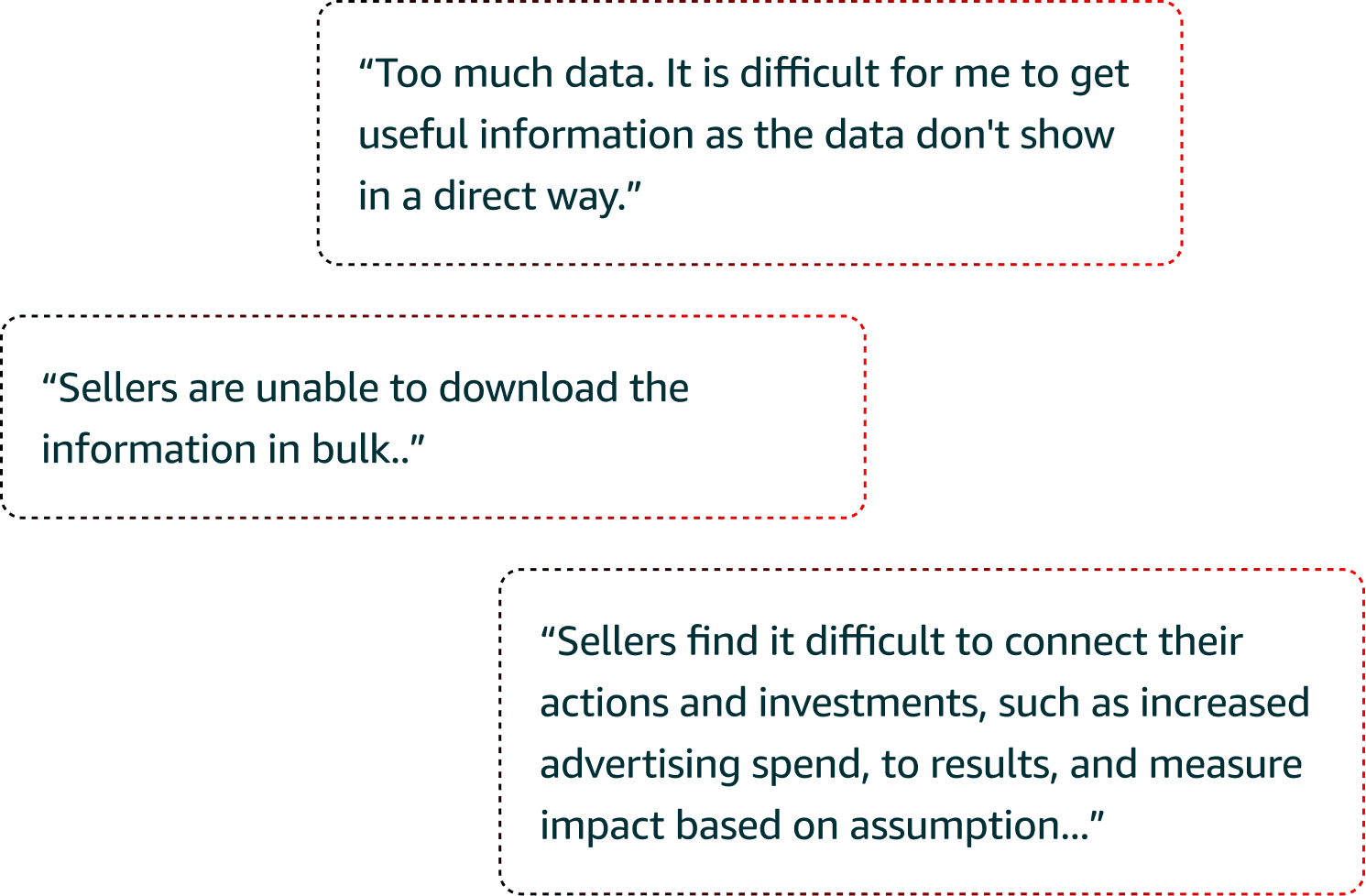
"Too much data. It is difficult for me to get useful information as the data don't show in a direct way."
Insight : There needs to be clearer way of showcasing data that is useful for Selling Partners.
Awareness
Sellers find it difficult to connect their actions and investments, such as increased advertising spend, to results, and measure impact based on assumption...
Insight : There needs to be more guidance on how sellers can reach insights about their acquired data.
Flexibility
"Sellers are unable to download the information in bulk..”
Insight : There needs to be better options for how sellers consume their data.
Defining ———————
Defining the hypothesis, problem, and user story
Problem Statment
"As a Seller, I compare metrics regarding sales, customer behavior, and competitor performance. Having access to timely and flexible data is important for how I take actions to grow my business. However, I encounter roadblocks with how I currently view and consume my data on Seller Central."
Hypothesis Statement
"With more flexibility and options to consume my data, I can explore better insights and make better data-driven decisions."
Seller Statement
"I need summary-level insights, that maximize value and understanding of key data across reports, help me identify areas that need my attention, with data in formed recommendations at the Customer and Financial analytics level."
Competitive Analysis ———————
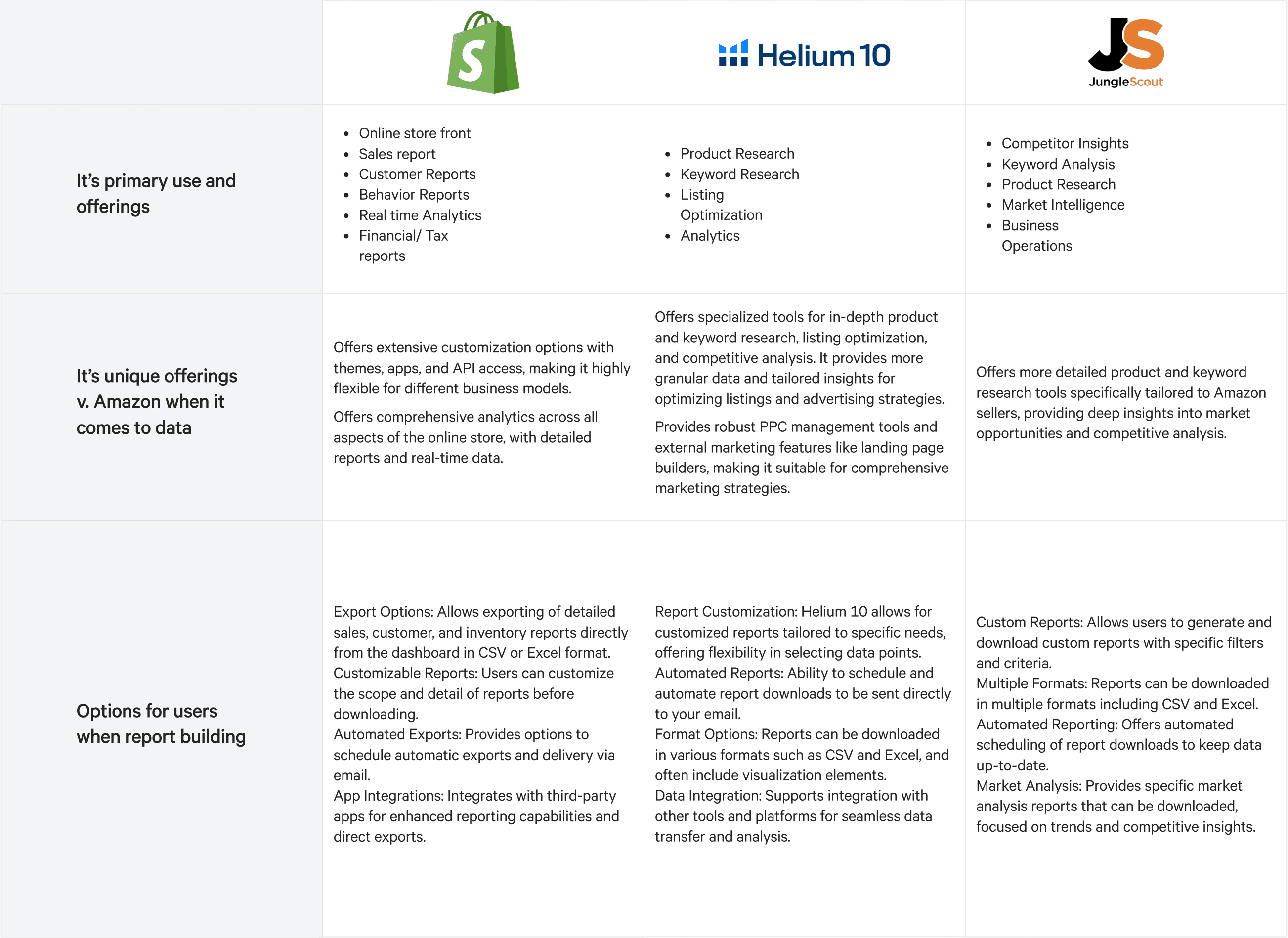
Diving into competitive research helped me to understand gaps and current offerings
Competitive analysis revealed that tools like Helium10 offered more flexible and granular data downloads than Amazon Seller Central. This highlighted the need to reduce friction and make data retrieval faster and more useful for sellers’ daily tasks, keeping them within Amazon’s ecosystem.
Next— How should we guide our ideation?
Researched revealed varying seller familiarity with reports—some unsure where to start, others confident in their adjustments. To accommodate both, I crafted guiding questions to inform my designs.
Ideation
Accuracy
How can I learn to repeat this process regularly?
Flexibility
How can I take control and make adjustments along the way?
Awareness
How does this help my business needs specifically?
ALL REPORTS, ONE VIEW
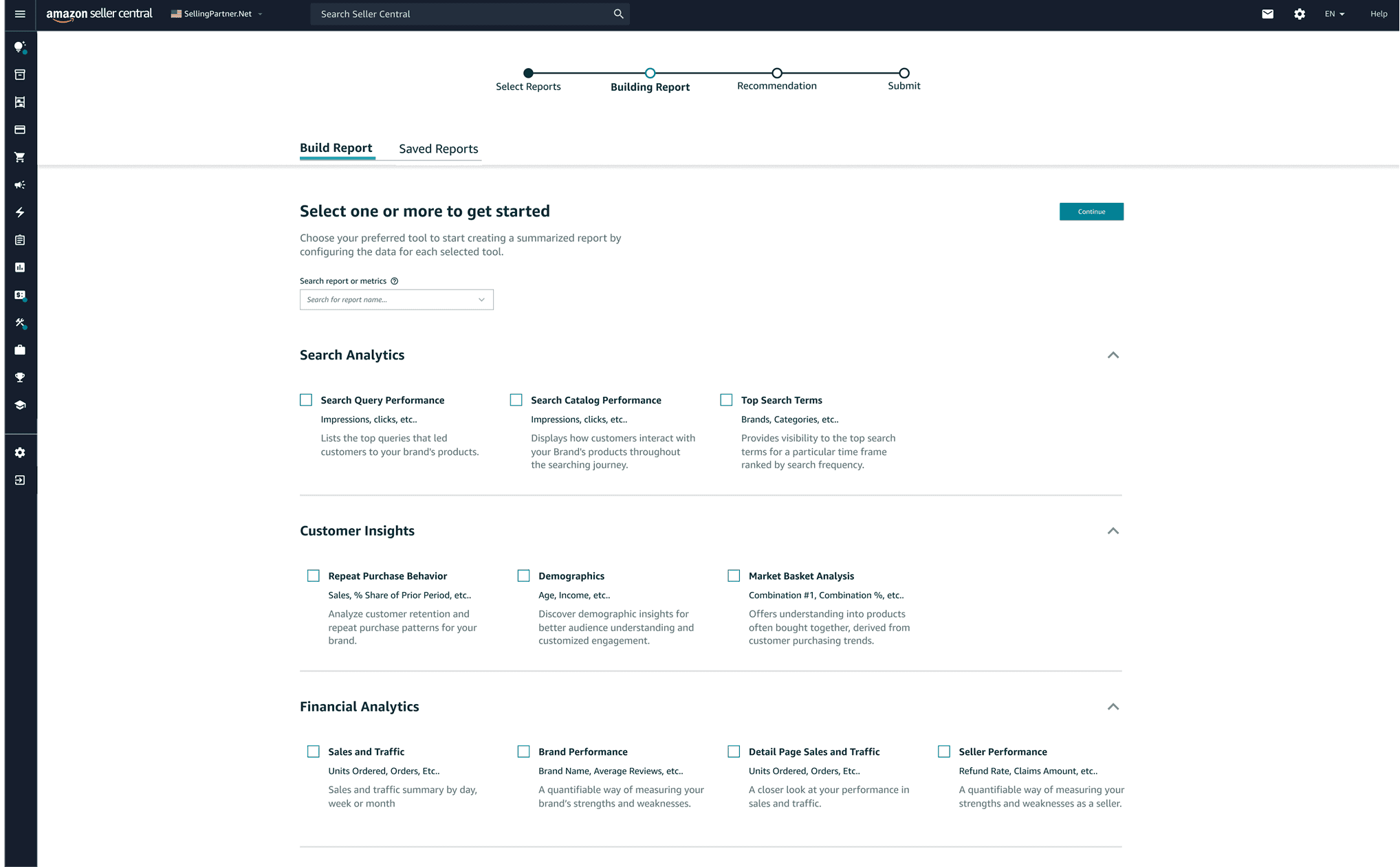
Combines all reports on one page, reducing manual download time and effort.
CUSTOMIZATION OPTIONS
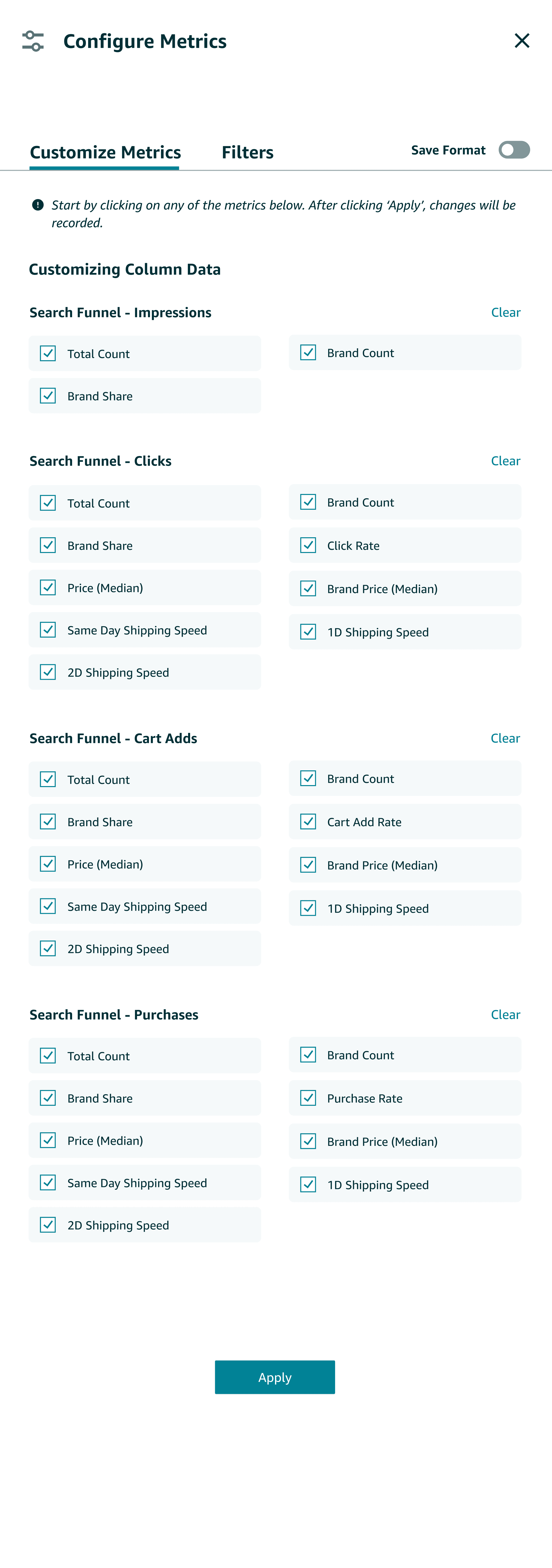
Allows users to adjust thresholds and filter metrics per report, saving time on manual tasks.
NUDGE
Recommends reports to help sellers access key insights more efficiently.
User Flow ———————
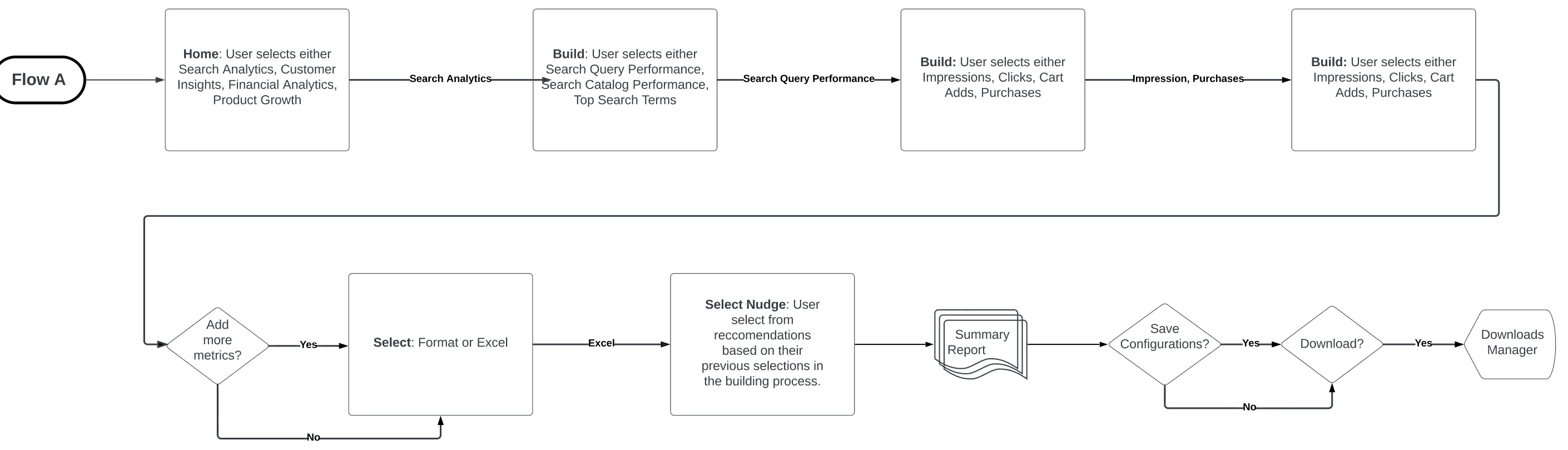
Building user flows to ideate on core experience
Based on the solutions derived from the insights above, I sketched multiple user flows that address the need for more customization, simplicity, and suggestions for users.
User Flow
Iteration ———————
Initial report building explorations
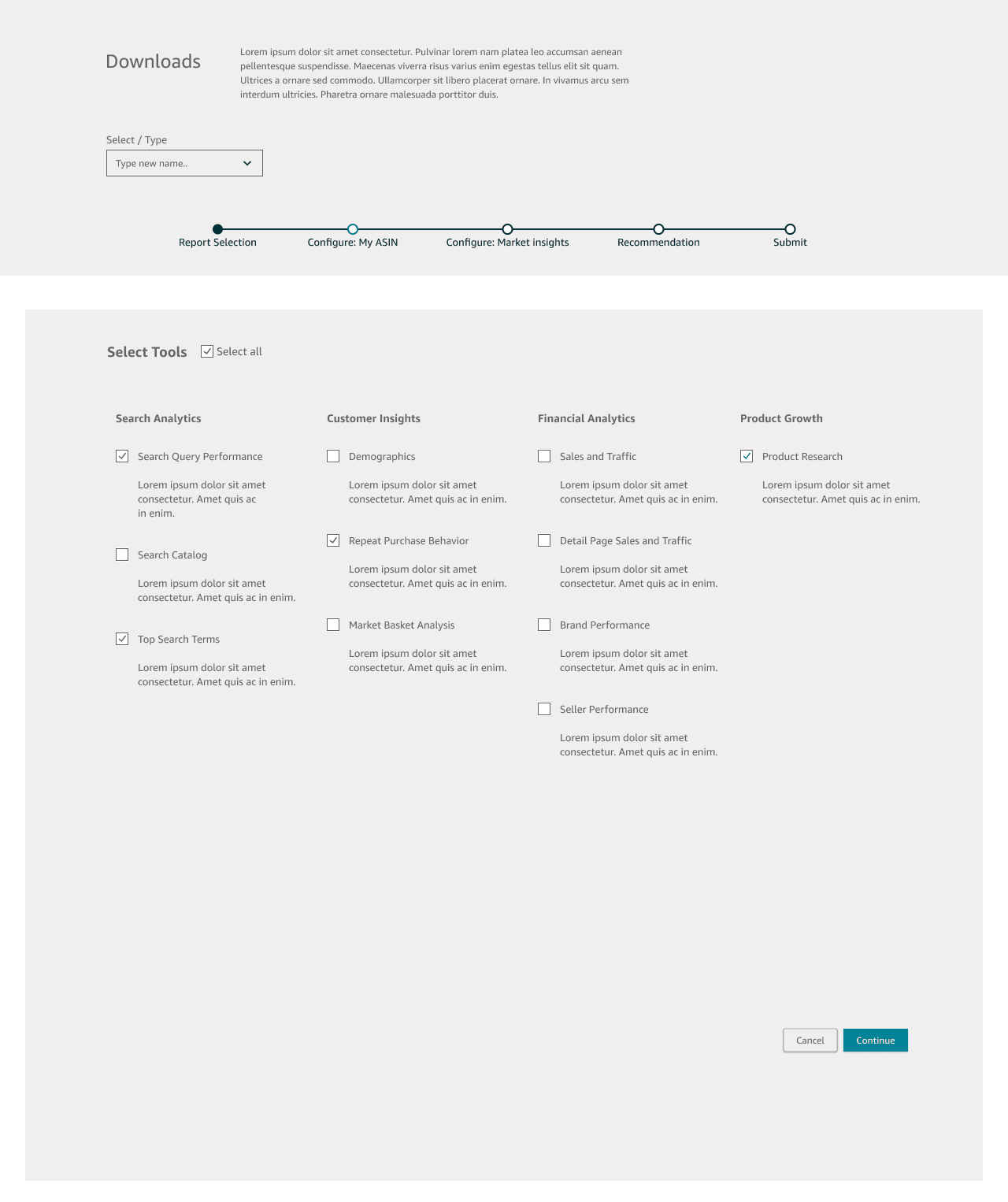
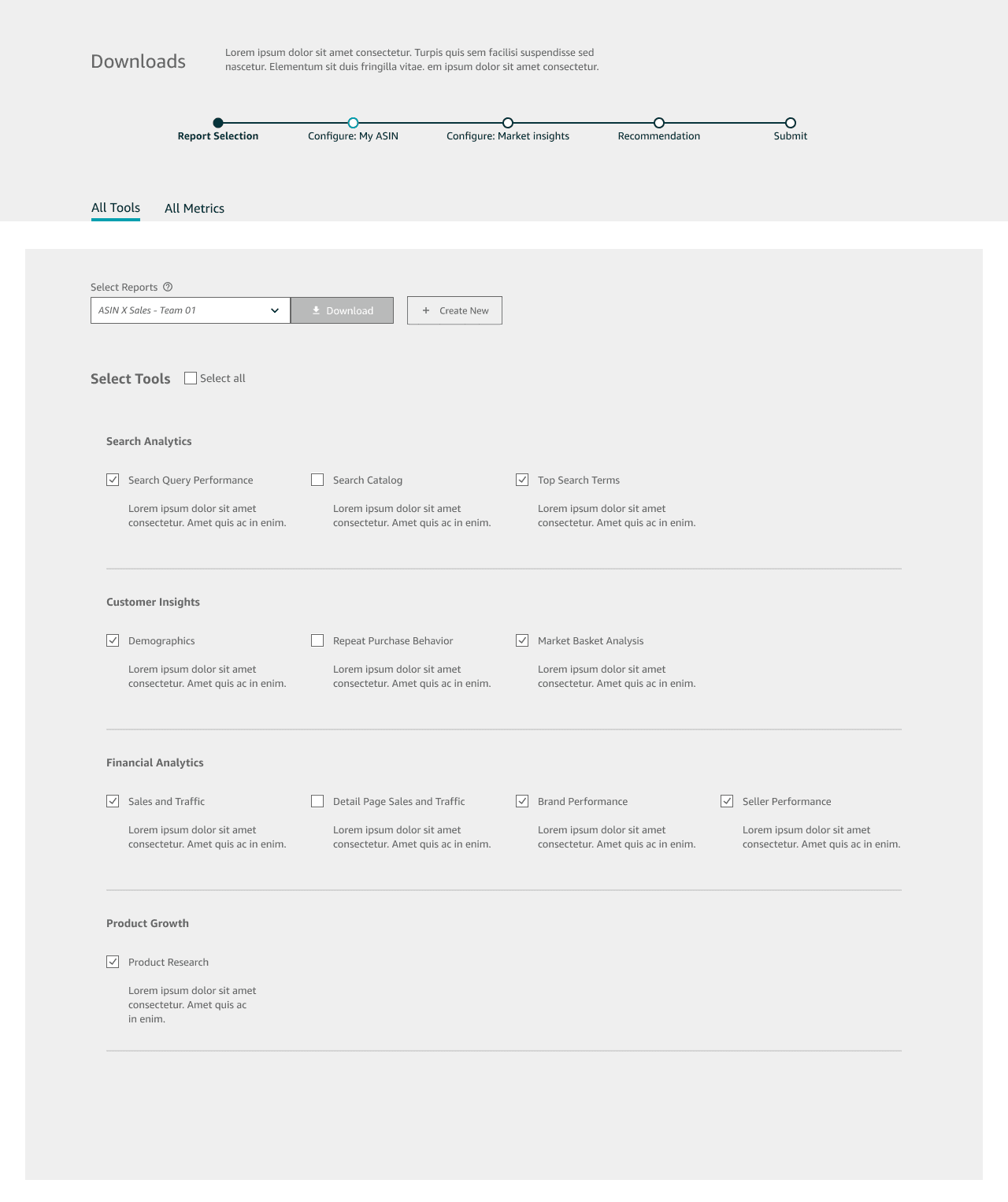
Given the various ways of how this solution can be approached, I sketched out low-fidelity concepts to help business owners find, customize, and suggest reports they need.
Low Fidelity Sketches
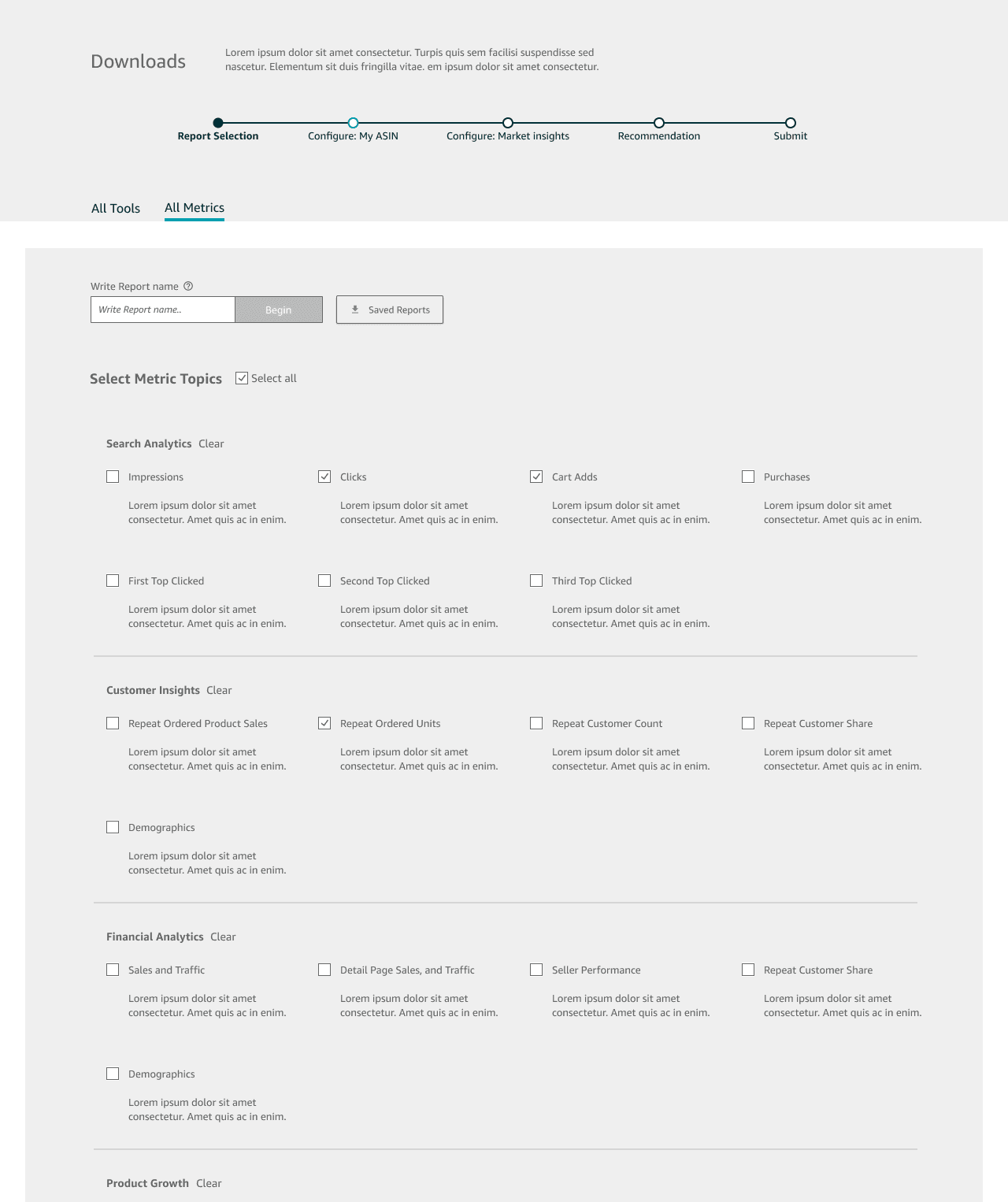
Step 1: Selection Process
Clicking ‘Report Builder’ brings selling partners to a page where they can view and select reports across seller central analytic tools.
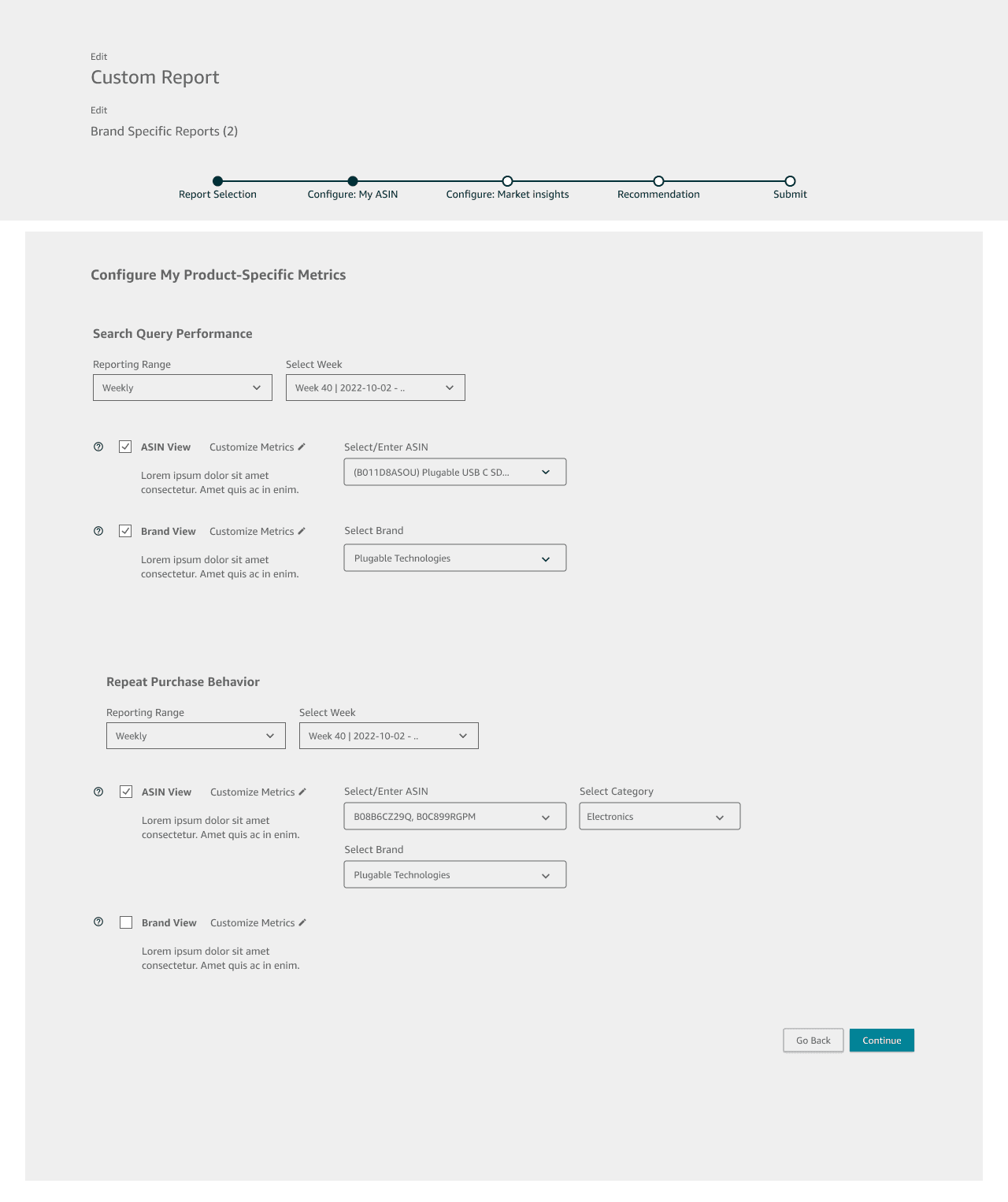
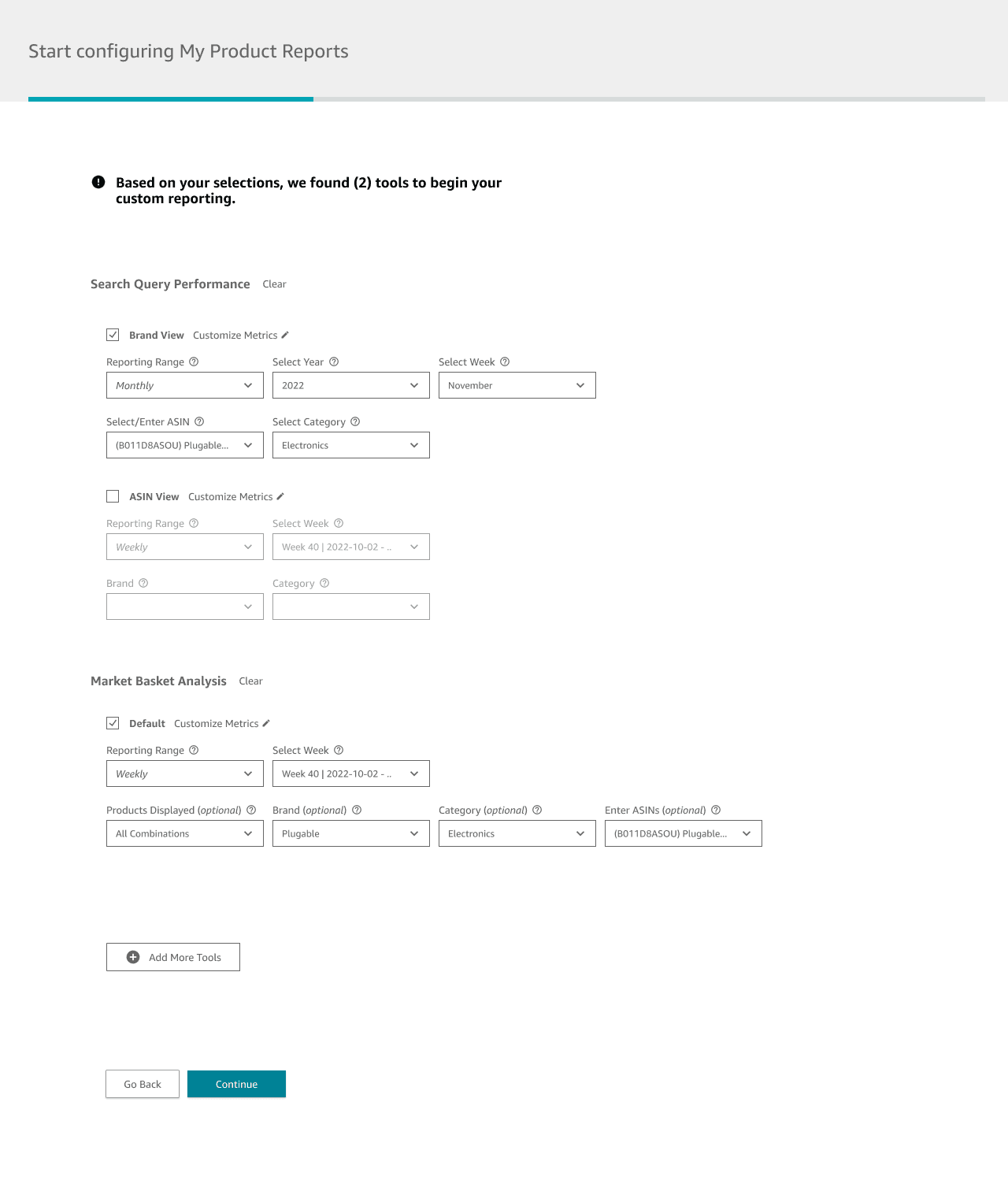
Step 2: Customization Experience
After selecting reports, sellers can choose the type of data whether Brand-Specific or Market-Specific, date ranges, set filters, and thresholds.
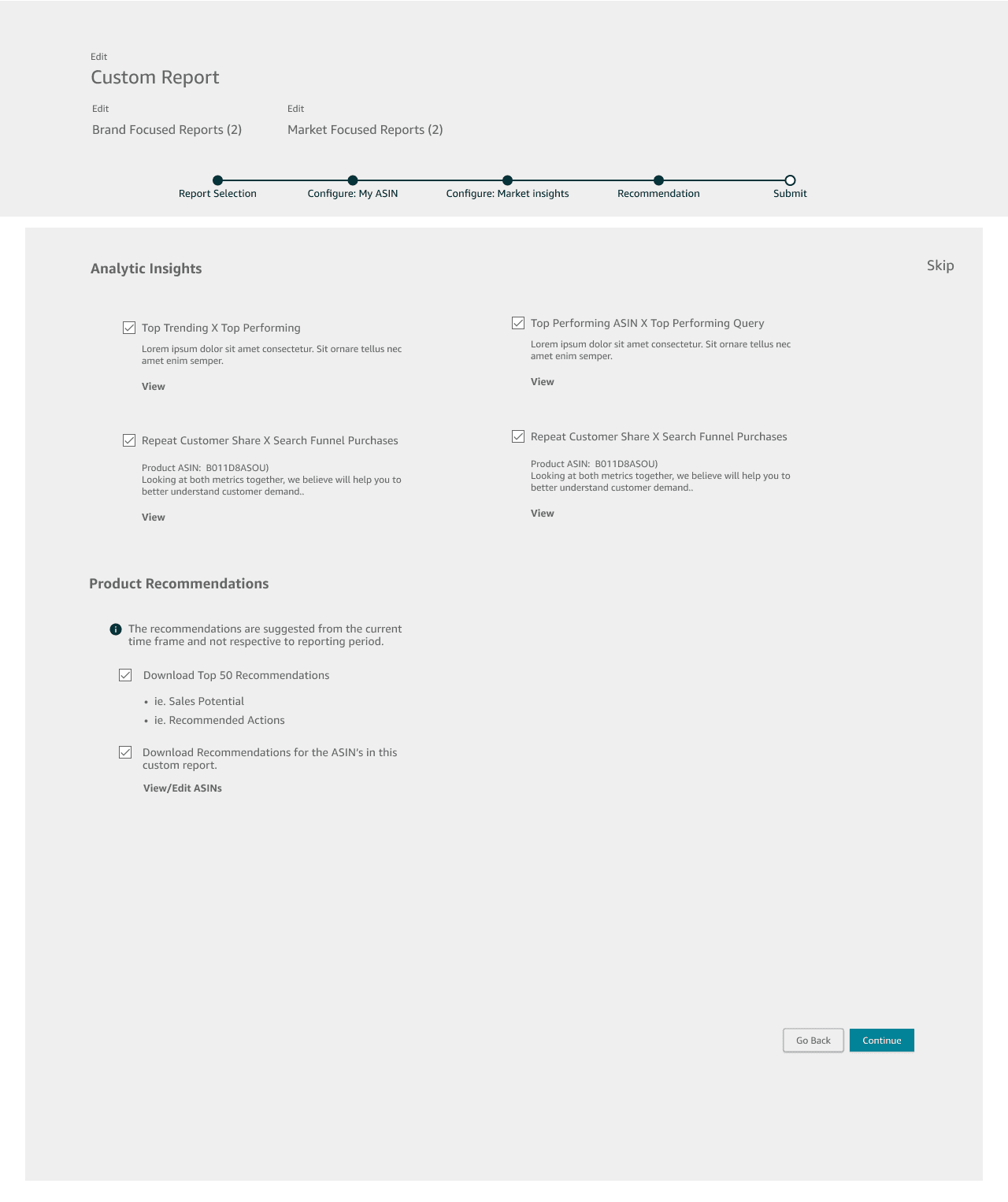
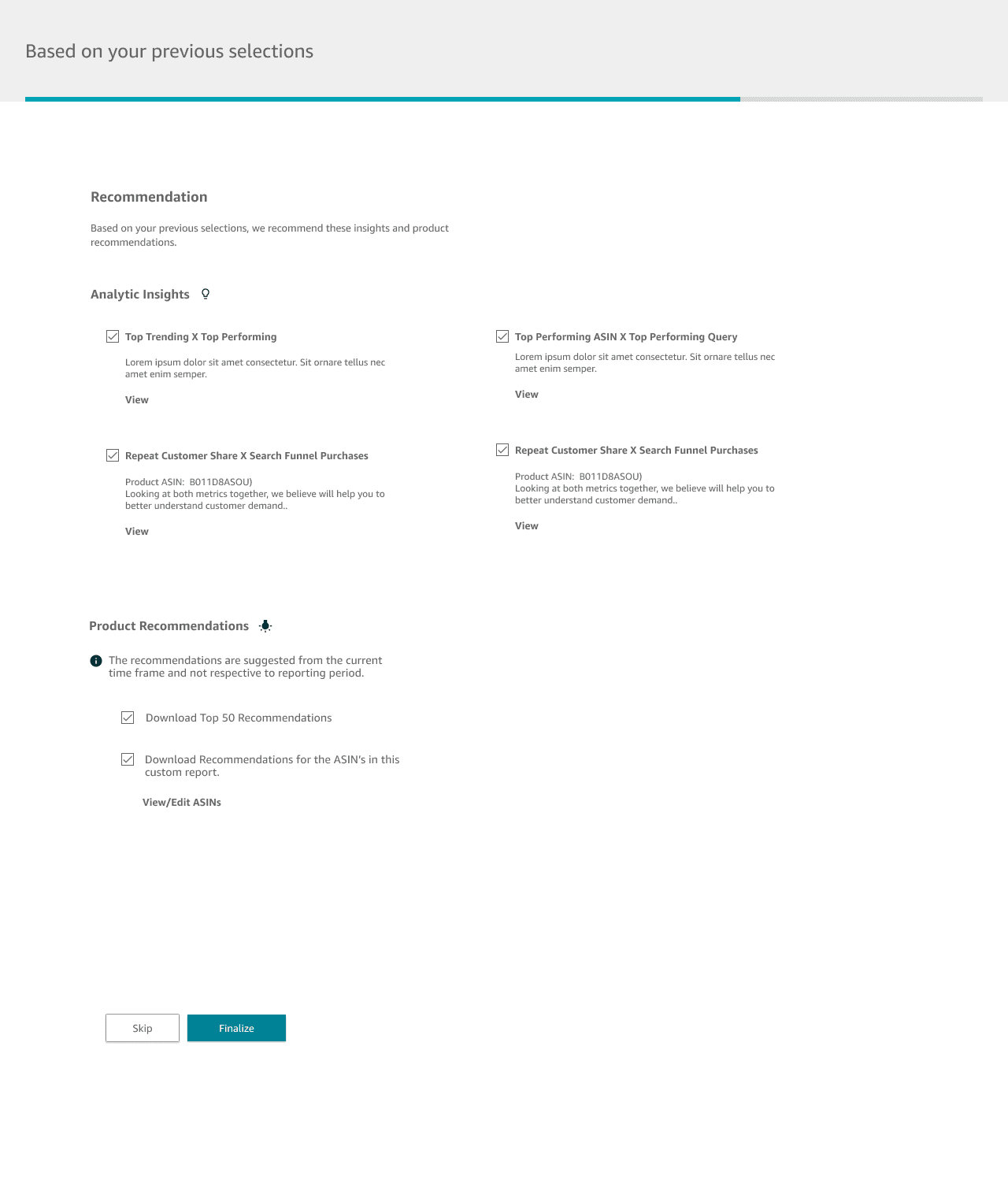
Step 3: Suggested Reports
Lastly, we offer a way to nudge sellers into selecting suggested reports based on what they've configured or selected previously.
Iteration ———————
Designing the filters and Customization modal to increase accuracy and flexibility around data
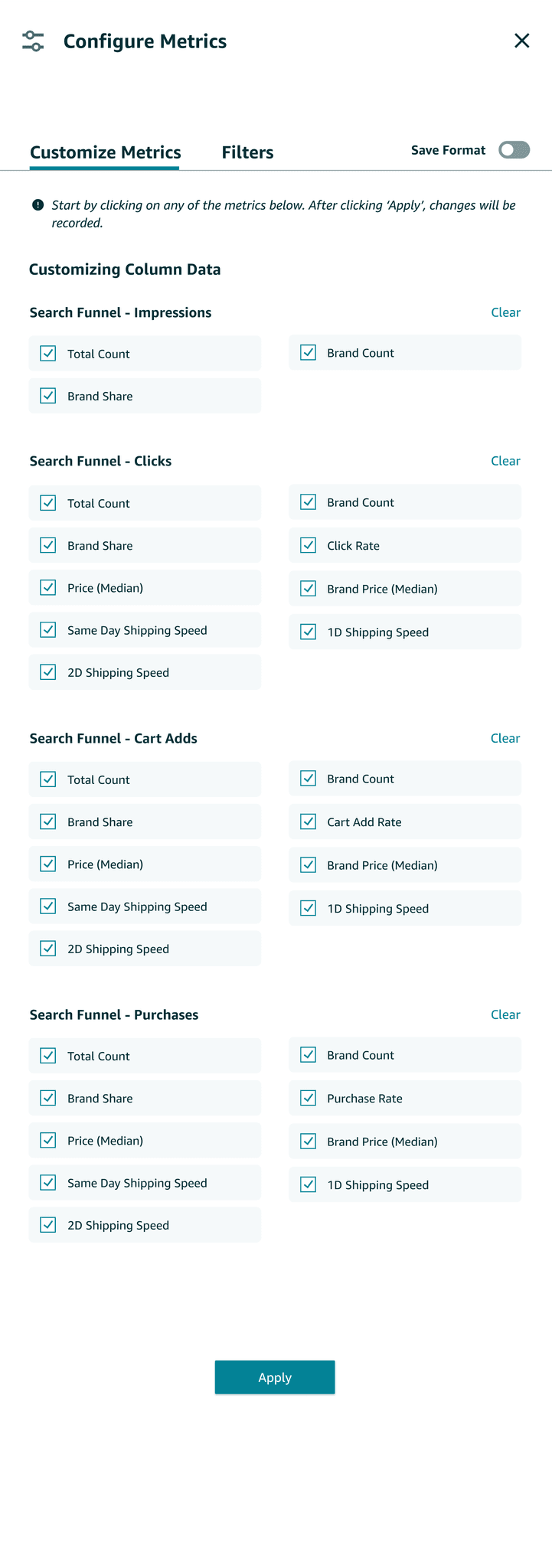
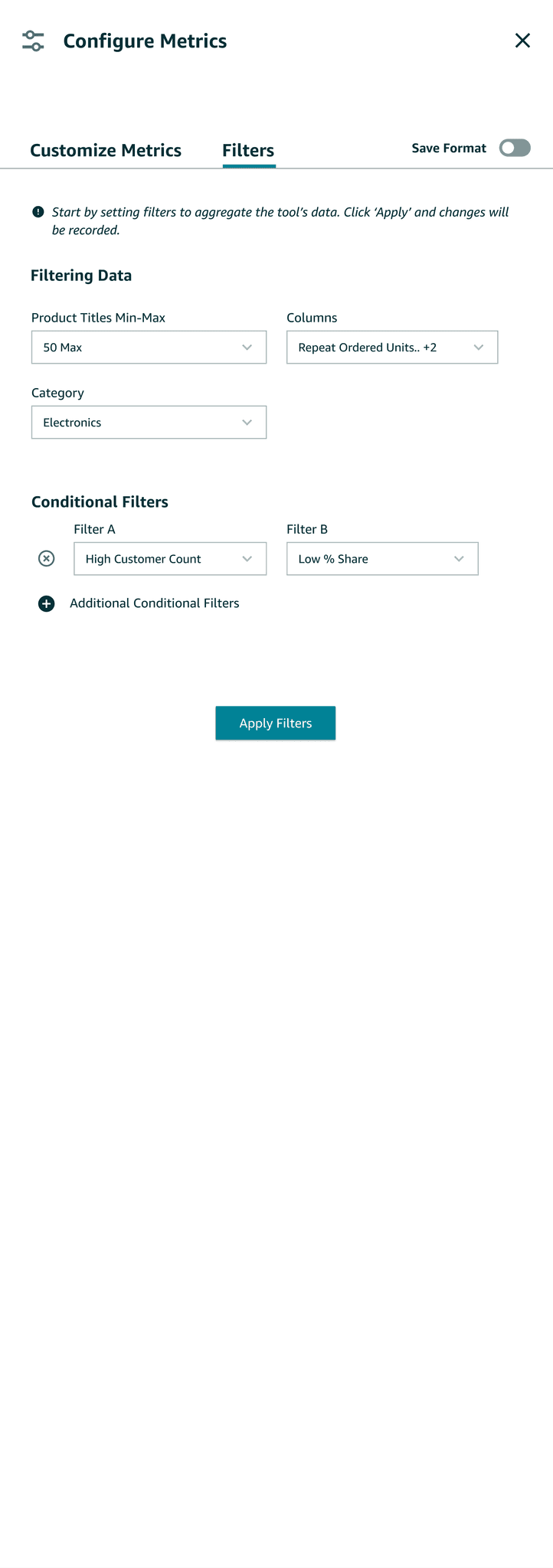
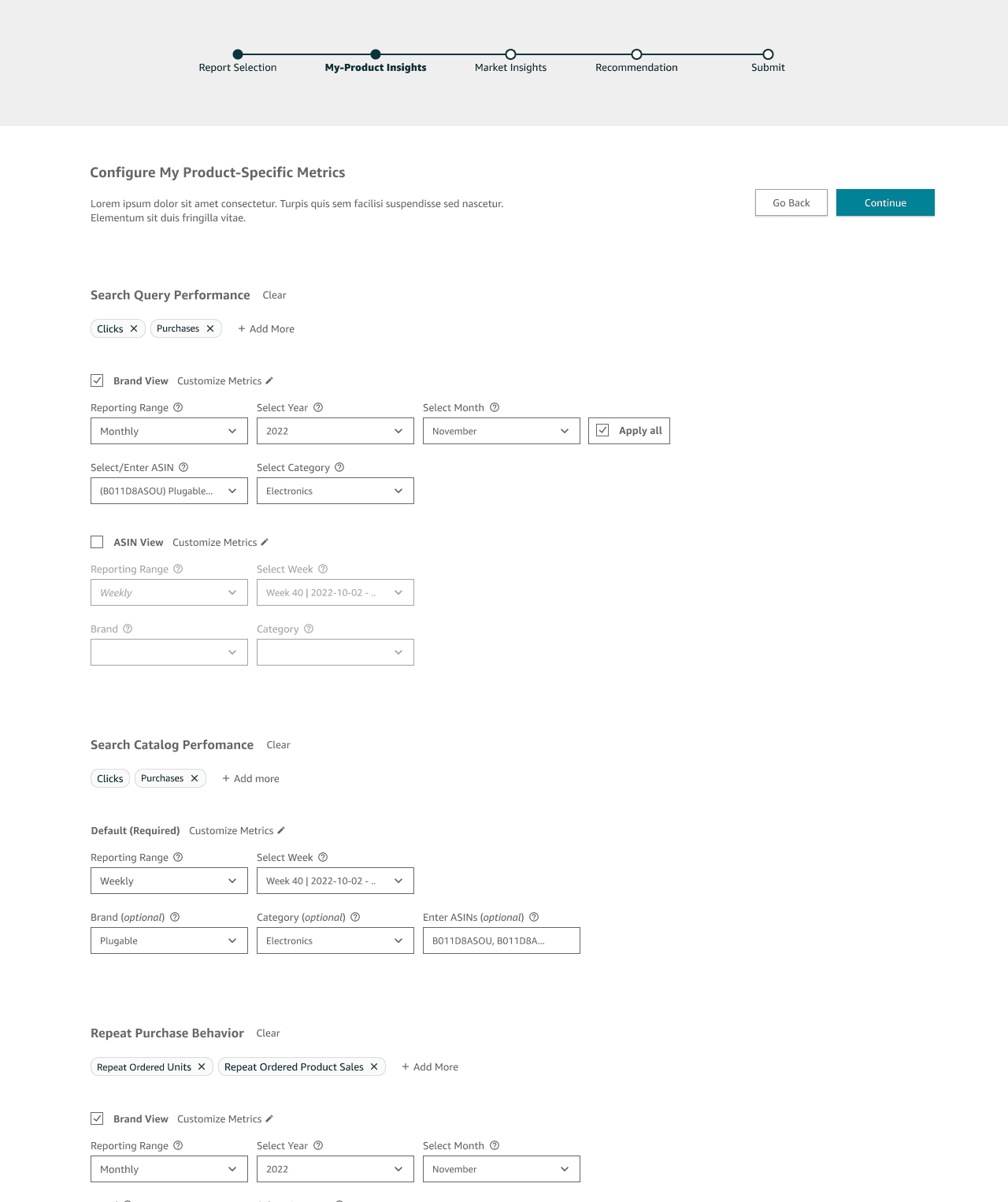
After creating low-fidelity frames, I designed two key configuration points for sellers: a modal to customize reports before download and filter pills to quickly add or remove metric categories.
Modal
Filter Pills
Lastly— Conducting A/B testing with research team
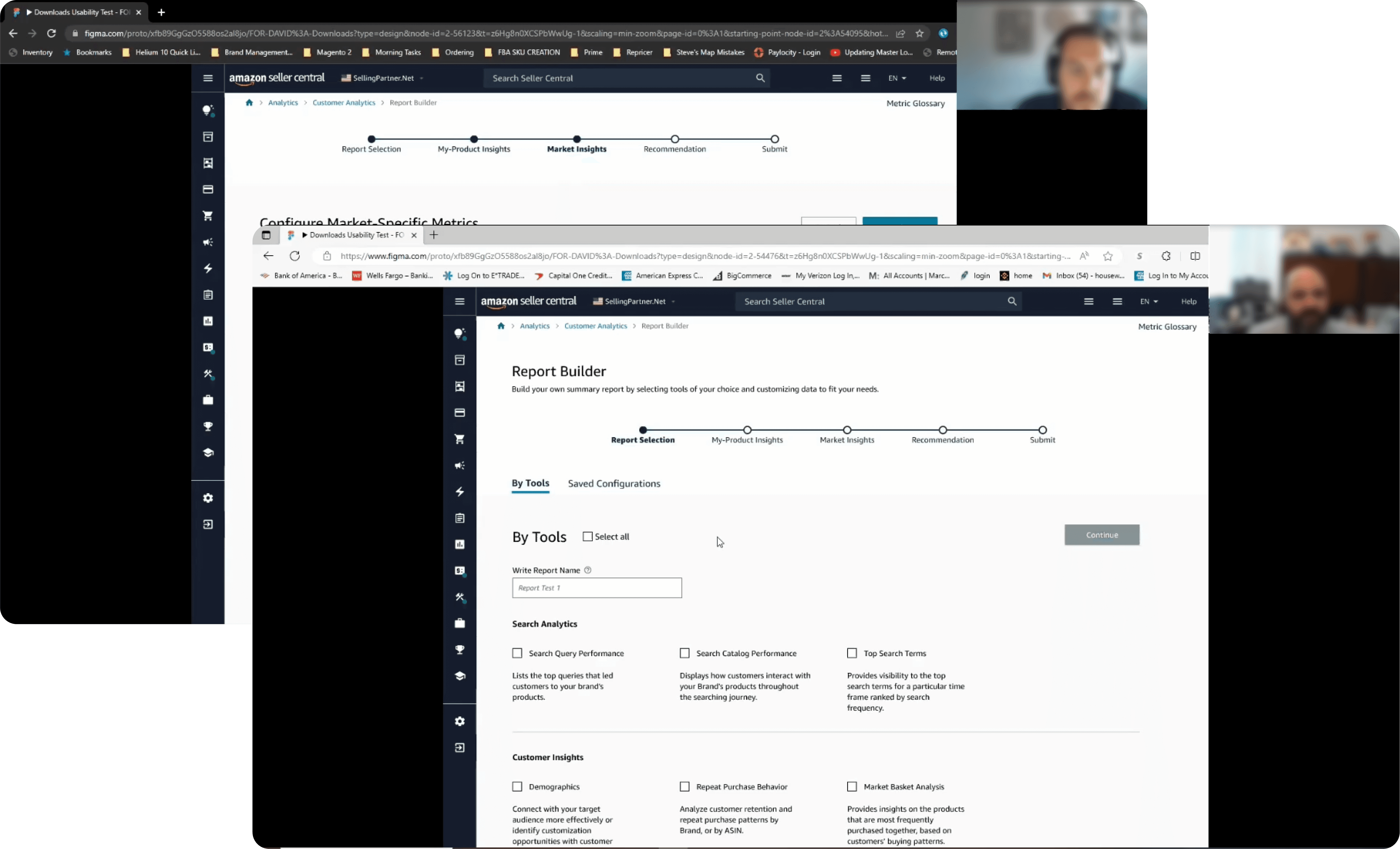
With a researcher on our team, I helped put together a prototype where we tested two flows for 11 participants ages ranging from 18-65.
Usability Test ———————
Most gathered user feedback was for the customization experience to optimize the report creating process
While we tested a multitude of screens in both A and B, the most valuable insights came from the customization flow, where sellers faced the most friction when building downloadable reports.
Result
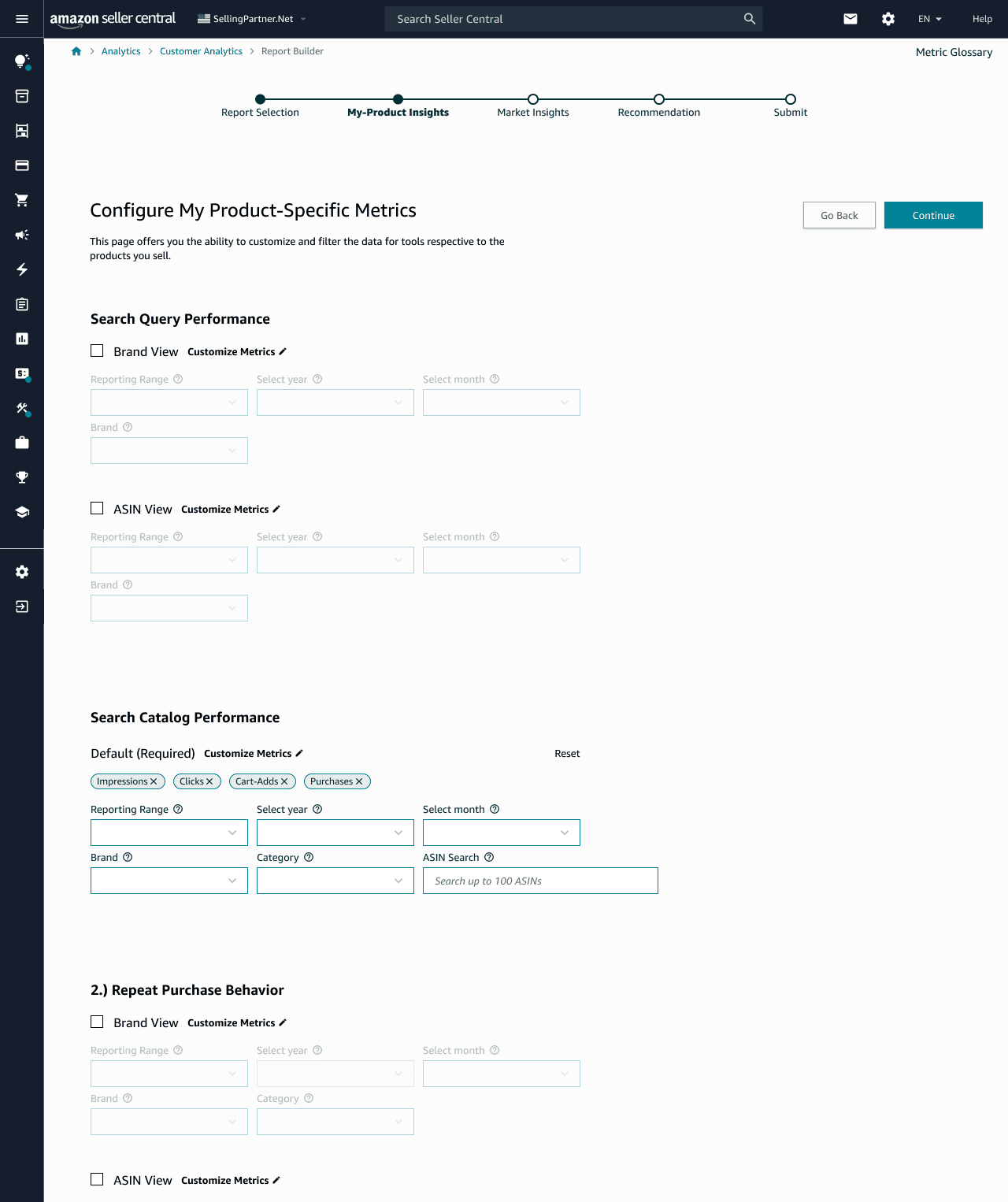
Flow (A) Customization
Reports separated by category type
distinguishing both brand and ASIN level data
visually dense, cognitive overload
users may find certain reports irrelevant to their business needs
filter pills can remove large portions of data easily, a risk for sellers
Result
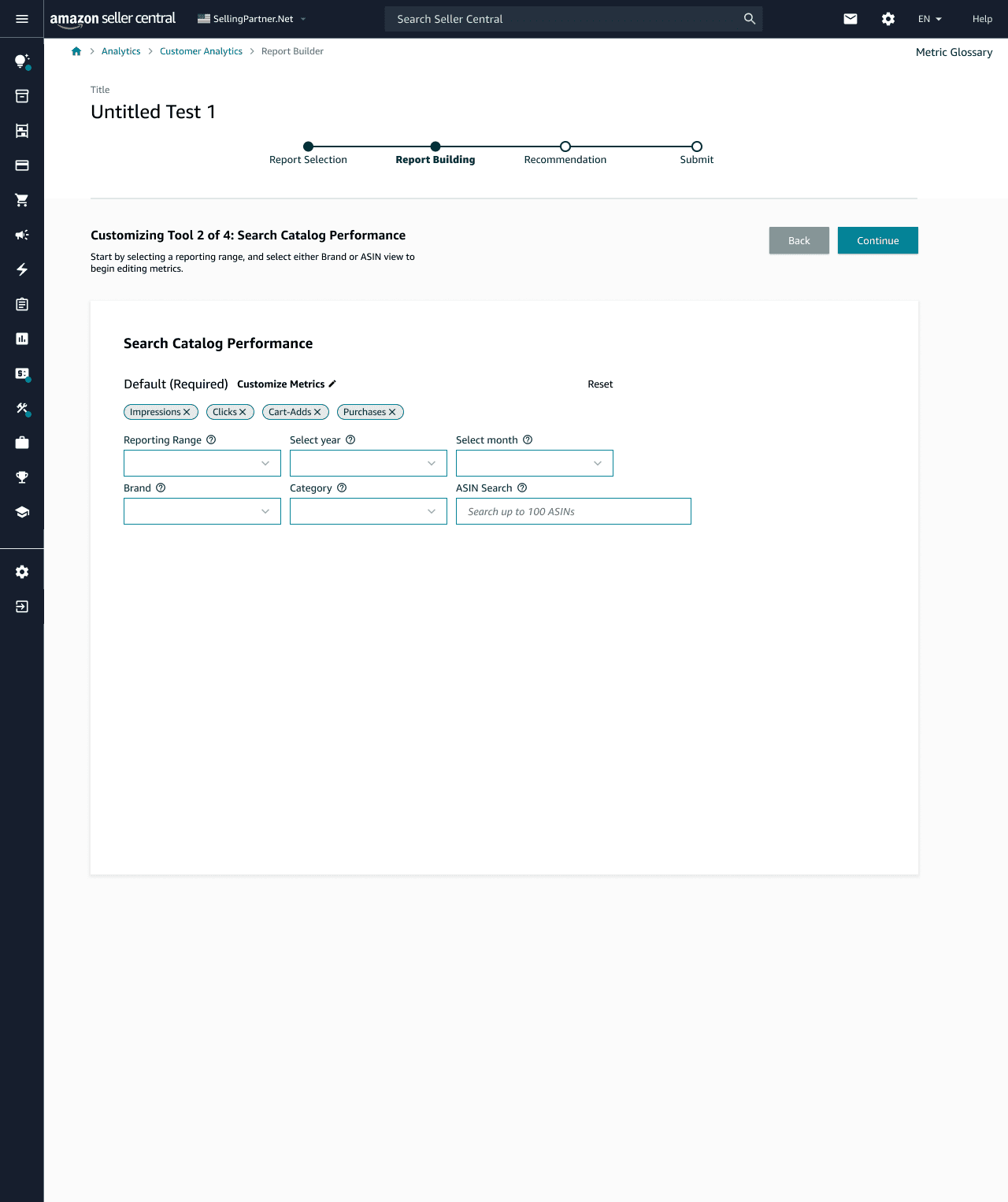
Flow (B) Customization
configuring one report at a time reduces clutter
not intuitive for users to click 'customize metrics' and expect a modal
large negative space creates visual imbalance
utilizing the pills feels redundant to what can be achieved in the customization modal
Result
Customization Modal (A & B)
allows for users to quickly remove irrelevant metrics or category of metrics
filers help remove lengthy times to fine tune the data sellers are looking for after downloading reports
Confusion about whether the setting applies to all future reports and how to remove it once applied.
Results Summary ———————
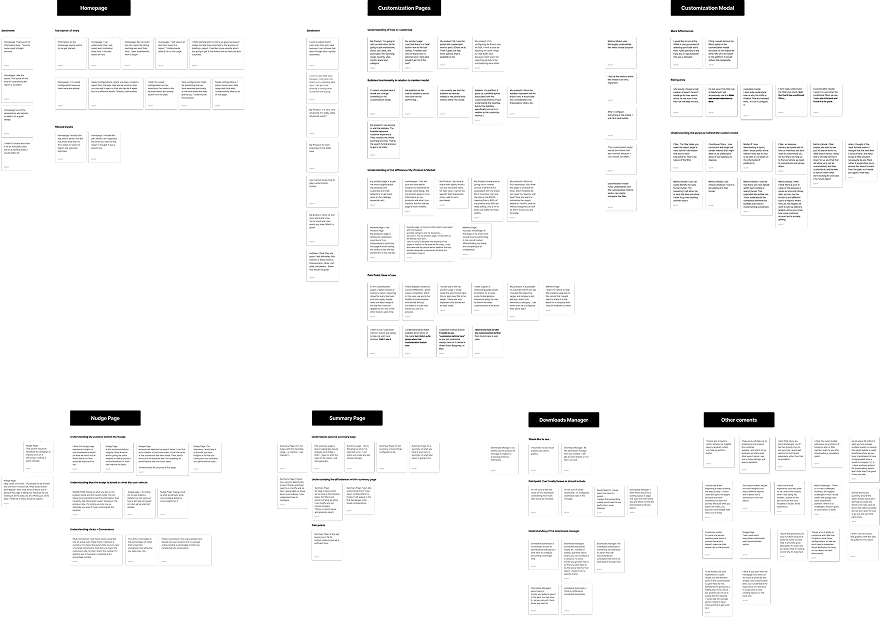
We clustered user feedback to gather next best steps
After conducting several usability tests, I found that while we enabled users to configure reports in one space, the experience felt time consuming and overwhelming. I later realized that this captured a segmented portion of our user groups who are much more specialized in their understanding of the data they are seeing.
Affinity Mapping
Positive Outcomes
80% agreed it would replace external tools for reporting needs
70% agreed step by step process felt intuitive
High relevance for weekly-monthly tasks
Negative Outcomes
70% felt customizing multiple reports at once felt time overwhelming
50% couldn't differentiate between product v. market level data
50% had trouble locating the customize metrics button
Revision ———————
Touch ups to create a more simplistic and frictionless configuration experience
Before v. After
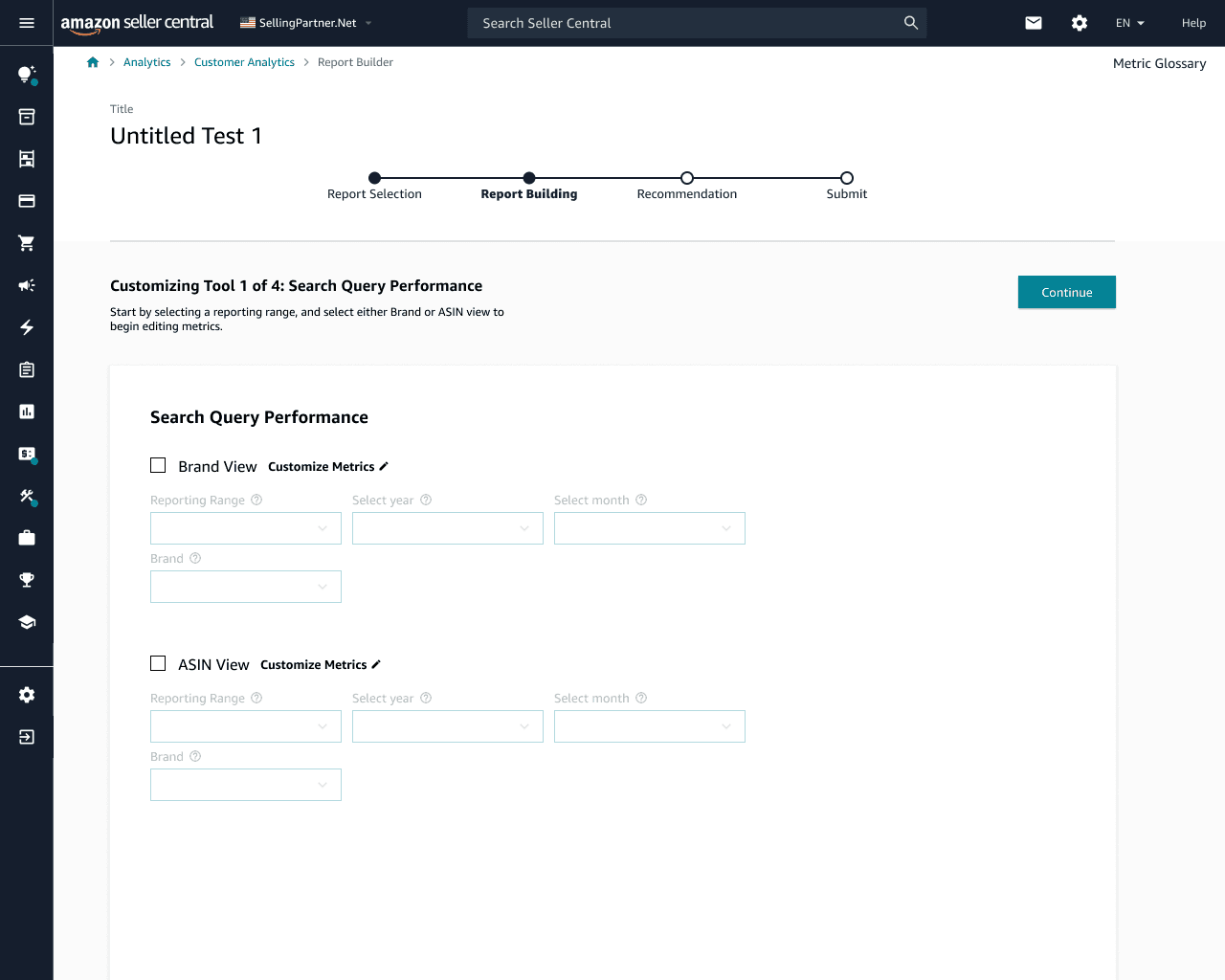
Configuration on single card with checkboxes
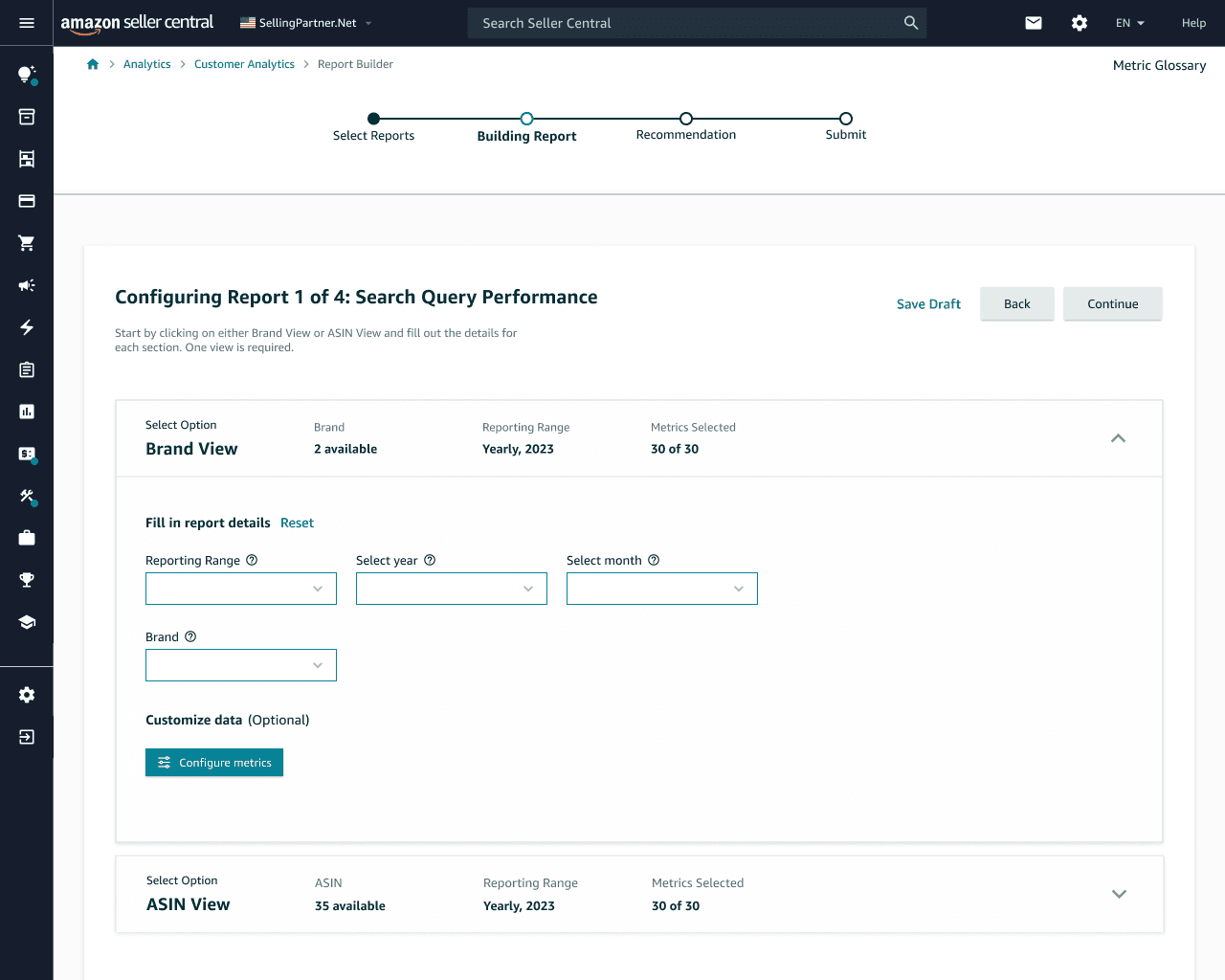
Select drop-downs with pronounced configure CTA
Final Handoff ———————
Finalizing designs and presenting to key stakeholders
After the completion of my internship, I presented my work to two cross-functional teams — SRPS and SG&D — and secured approval to move the project forward into development.
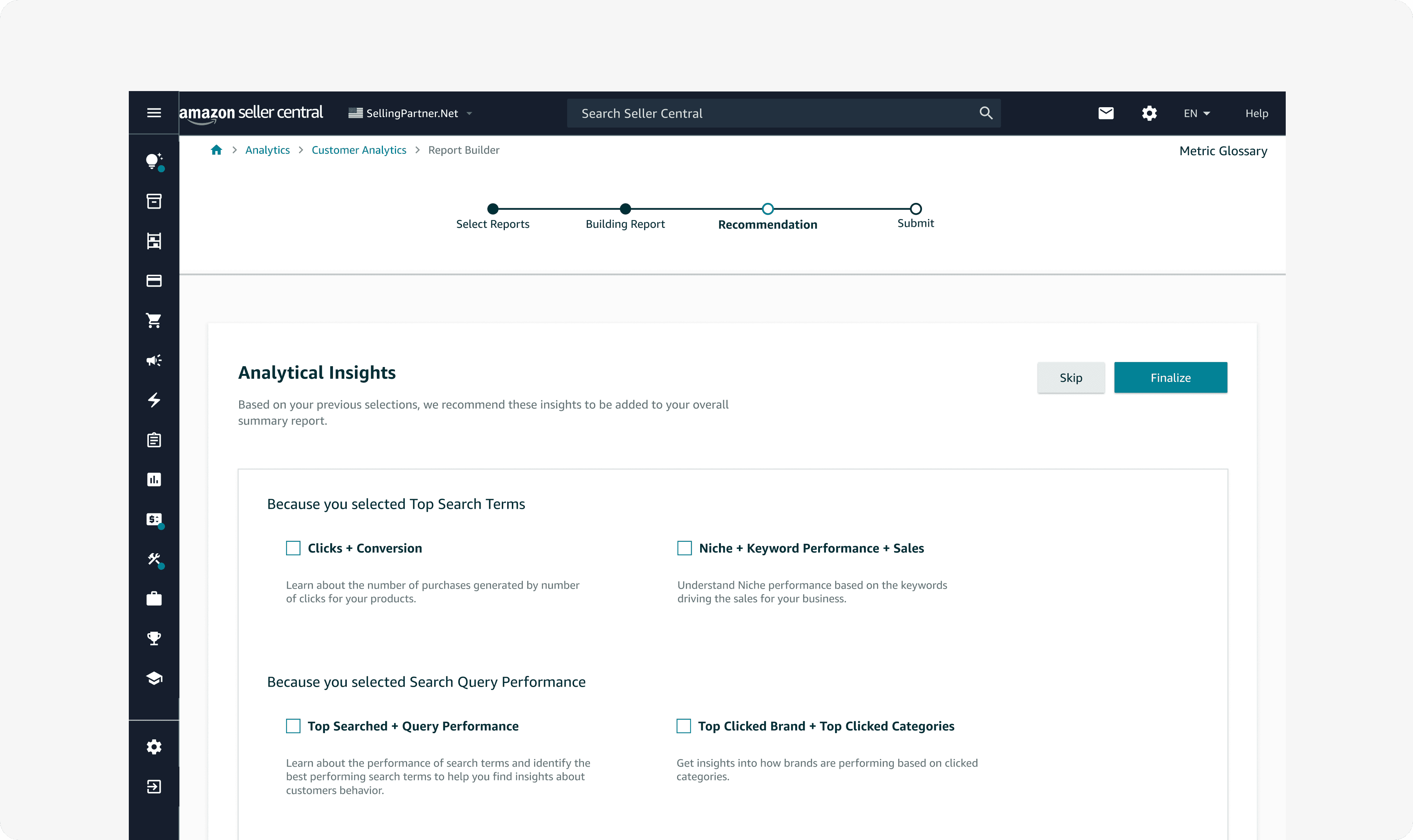
Next Steps
Realizing Summarized Report
To advance the report builder, we need to envision the finalized report sellers receive when they combine multiple individual reports. Partnering with engineers will be key to making this possible.
Future development
As latency issues are resolved, we can explore new flows for how sellers can customize reports.
Suggestions to sellers
The nudge page already helps guide sellers, and I’d like the summary report to better visualize these suggestions.
I learned to navigate unresolved technical constraints by focusing on the end goal and communicating progress openly with my team. This transparency led to continuous feedback loops, helping me step back from details, refocus on the bigger picture, and deliver solutions that moved the project forward despite challenges.